Showing posts with label video. Show all posts

Friday, 30 September 2022

Monsters Loot Swag Early Access Update 2

This is Pauk The Engineer, she drives Mecha-Boris, the Spidertank. Spidertank, spidertank, does whatever a spidertank does ...

September saw two Regular Updates for Steam in one month, but that mostly because I brought early October's update forward a day to coincide with Friday and the start of the weekend.

Regular Update 1 did pretty much what I said it would in August's blog; the main emphasis was on the player requested radar system so players could find each other in online Co-Op multiplayer mode, and the rest of the update was tweaks and bug fixes.

Regular Update (because that's what Steam calls them) 2 has just shipped, and as this was the first update to have an actual month of work available since launching last month, it has a whopping 50 fixes, improvements, changes and new content.

I forgot I wasn't in developer mode on Steam, got killed, and permadeath erased my own save file - bugger ...

 The main focus for this was to revitalize level 5 and turn it into a broken industrial aesthetic, complete with shattered piping system leaking toxic goo (not a comment on current events). I also fixed the chatHud so that players can talk to each other in multiplayer game mode, whilst waiting for the game to start, and after the level is complete and everyone is waiting the 60 seconds before the next level loads.

There was also a whole load of balancing and bug fixes, and the portrait and loading screen for the level 3 Monster Boss, Pauk; see above. One of the changes was to drop the Shipping Build from the executable which I have long had suspicions causes instability (like 10+ years), crashing when any other build would have managed to get through the error alright. This also allows for the player to access the console, which can be useful when they come across a bug because they can then send me the console.log text file and I can see where the script loop got up to - and I am a dev who likes a lot of script echo to log to find out what is happening (printf too).

And here is a video of what Level 5 looks like, though I decided to remove the ground fog in the end.

So that was the month that was, I removed the summer duvet in favour of the thicker Autumn one. Next month I will probably be working on a whole new level for Monsters Loot Swag; the Water Temple. Ninty plz no sue.

Thursday, 30 June 2022

New And Improved Mouse Aiming

So it turned out nobody liked the original mouse aiming system

This was not entirely a surprise as literally nobody had previously said that they did like the mouse aiming system, but at least I got some feedback and examples of games which had good mouse aiming schemes. What people actually wanted was not the direct input control system to player character rotation, but for the player character to turn towards a visible mouse based cursor or aiming reticle.
And their wish was my command! Had a bit of trouble networking it in multiplayer co-op mode at first but got an example of setting up a net event that would send the client input directly to the server object rather than having to wait for standard client/server updates.


 It was also Steam Next Fest, were a thousand desperate indie devs got harvested for demo downloads so that gamers could get a badge and 55XP off Valve.

 I ran two livestreams with varying amounts of success and terrible audio until I ironed those problems out - even though I had ironed those problems out in testing previously. Was hoping for 10% wishlist but got 1%, which is at least better than Sweet FA%.

Monsters Loot Swag will ship as an Early Access title on Friday, July 28th, 2022 - which gives me four weeks to get it into a shippable state. eg: make more boss monsters for the compeleted levels.

Tuesday, 31 May 2022

Demonstarting Demo Steam Next Fest

Brilliant Advertising That Gets Straight To The Point

Steam Next Fest is a thing where desperate indie devs big and small plead with Joe Public to notice their upcoming game and add it to their Wishlist. It runs for a whole week from Monday the 13th of June and Monsters Loot Swag will be there, with a playable demo - that I am still hammering the bugs out of ...

At some point during this Steam Next Fest, I will be streaming on the Monsters Loot Swag Steam Store Page (if I can get it to work - even Valve say it's awkard as hell in their documentation) to demonstrate the game and I dare say ramble incoherently about things ... probably 8pm BST on Tuesday 14th, and again for a late night comfy playthrough at 11pm BST on Thursday 16th.

 The playable demo has the first level available in Single Player, or Online Multiplayer (or LAN for those strange folks who have physical friends in the real world) and now features THREE player Co-Op (4 in the full game) and the new character "Bikaver".

Melee Based Wine Drinking

 Bikaver is a close-range, melee based character. She likes long walks in the rolling hills, eating grey cattle salami, drinking red wine and dealing out blunt force trauma.

Bikaver has a trio of hand-to-hand standard attacks, features high mobility, with high strength for knocking monsters out of the way. Her special attack is a low damage but wide area attack which stuns all enemies, whilst her evasion is the fearsome - and instantanious - Huzzar Charge, propelling herself through multiple ranks of monsters, both stunning and damaging all in her path.

 She also got a character profile redesign because I didn't like the first one.

 Monsters Loot Swag even runs on Valve's new handheld console Steam Deck ... apparently, I mean I don't actually have one.


And here is the first glimpse of Multiplayer Co-Op mode in action - with low audio because I forgot to turn the volume up for recording ... and then I forgot to turn off the video after we both got killed so half of it is a character screen whilst I was chatting on discord.


Plz wishlist Monsters Loot Swag on Steam!

Saturday, 30 April 2022

The Steam Upload And What Was I Thinking When I Wrote This Steam Stats System

 Monsters Loot Swag is on Steam and available for wishlisting here.

So, after a few months of testing off Steam, I have uploaded a build to a Steam depot ... and then immediately started to fix everything that didn't work ...

Who's Best Girl? You're Best Girl! If you don't get ganked ...

 Primary here was the minor issue that to finalize the build I had encoded the script files - and that my own script reading function only dealt with unencoded script files ... this could have been forseen but because it has been so long since I shipped a game to Steam *** 26th August 2014 *** I had forgotten about this sort of thing ... What I hadn't forgotten about was my system for storing Steam Stats.

This May Have Explained My Overly Convoluted System ...

Overly convoluted seems a little weak ... even reading through my own code comments it is best described as baffling. I clearly wanted a system which saved as much as possible on server calls but this was truly was absolute gibberish even if, most terrifyingly of all, it worked. All the same, it still had to be rewritten to make the whole thing readable again.

How Much!??!?!

Something else which I had overlooked was size - and in particular the minor issue that I had completely forgotten to trim my master files for things like artwork and audio. After some careful pruning the required HD space dropped to around a single gigabyte.

Steam Cloud save system is also fully up and running, and the Swag unlocks recorder fully functioning and integrated with User Interface so that the player can look through what Swags and Power-Ups that they have unlocked at a more leisurely pace, outside of the frenetic nature of the game.


As ever, there has been mountains more of work, but I can never seem to remember it all when it comes to the month blog write.

Monsters Loot Swag has been accepted for Steam NextFest, the forthcoming showcase of indie games on Steam, which runs from the 13th-20th of June, so look out the freely available demo coming at the end of May. So that's the next major job.

Monday, 28 February 2022

Players Can Interface With The Interface

February comes to an end. February, a month when the weather is so bad that it was shortened, so it would end quicker. The fence blew down, I got soaking wet and snowed on.

Anyhoo, that is enough of Johnny Britisher's favourite past-time of whinging about the weather.

Whilst the actual gameplay of the game has been working fine for years - the actual getting to and from said gameplay has been a bit of an unreadable mess. It has long been a spaghetti of various and conflicting buttons for starting a new game and hidden console commands for loading saved data.

 First screen when starting a game gives the player the opportunity to load a saved game - if there is one. This gives basic information about the saved file such as the player's previously chosen character, level progress and difficulty. It also displays the character portrait and the portrait of the level boss. If either of these cannot be found it defaults to showing the "unknown" portrait, which is a tentacle who's shape resembles a question mark.

  Starting a new game allows the player to first chose difficulty - which still requires some artwork for the settings - and then moves to the character selection screen. In the stock game there will eventually be a choice of 8 cosplays to dress you catgirl up in, each with their own stats and ability displayed. At initial release there will be 4.


This is "Sunrise", she likes walks on the beach, drinking cocktails and large calibre handguns. She is a range-based class with medium maneuverability, low strength (for pushing monsters out the way) and her evasion is a simple speed boost. Bonus points if you can name the movie this character references.

This is "Southern Hospitality" - because I don't want suing by some US drinks corporation. She likes riding through mud, drinking bourbon and blasting gators with a sawn-off. She is slower rate of fire but high damage, mixed range class, with medium maneuverability, medium strength for shoving, and an evasion which allows her to both vanish and run through monsters to escape.

And here is what it all looks like in action on video:


So, that was the shortened and rather soggy month of February 2022, were I made the interfaces for getting the game to actual work to be player friendly. There's still a few things to finish off like extending this to settings and adding statistics button to the Main Menu screen, but things are at least working quite nicely now.

Tuesday, 31 August 2021

Takes Two To Tango With A Brief Debrief

Having mostly been a single player player ... stops, rereads that, nah we're good ... the concept of networking multiple clients wasn't something that I had particularly much experience with. This was most obvious when reviewing my C++ code and seeing that I had literally packed/unpacked everything of my custom aeronautVehicle class regardless of whether it required it or not. On further inspection only rigidBody attitude and whether it should be emitting vapour or not really needed to passed around every frame the engine updated. This could probably explain the jitteriness of Ai and other client aircraft movements.

Debugging ... (don't @ me!)

After quite a bit of faffing around I not only managed to get 4 player Co-Op mode working but had it so that other remote human clients could arrive after the mission had started, and replace the allied AI who had already spawned in their place. The Ai would smoothly disengage, move away and fade out before being deleted, hopefully out of view of other players.

Any later joining client would have to pick the remaining available flights/callsigns that human players were permitted at the briefing screen. Initially I had listed each and every callsign individually, but once I had the whole system up and running, I decided it would be better to simply list available wings and the number of taken and free roles within them. This would cut down on the possibility of scrolling through vast numbers of disabled buttons.

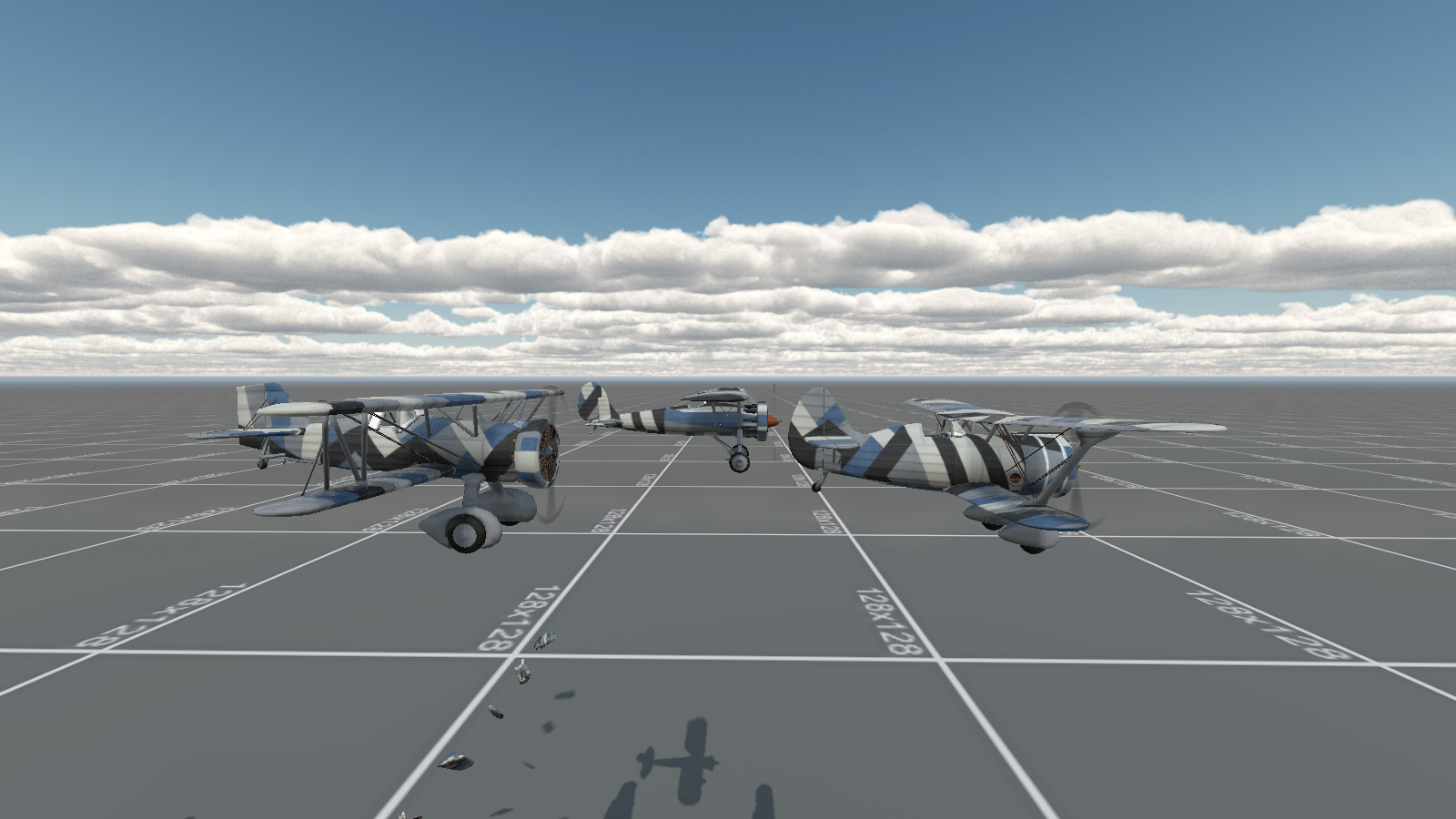
Co-Op Mode! Player 1 and 2 look at each other during a flypast.

The briefing screen also acted as a rather rudimentary lobby. Players could arrive and choose their flight roles, aircraft and paint job, and then wait for the server to fill. Once two or more players had arrived and selected their aircraft and were ready to sortie, a countdown timer would start and automatically trigger the mission so they weren't waiting around for ever. A lone player, waiting on the server on their own could start the mission with Ai wingmen, and future arriving players could drop in and drop out as replacement, as explained above.

One of the things which had proven to be an issue with the networking was briefing. Sending huge amounts of text over a client connection seems like rather a bad thing and I have been desperate not to abuse seven shades out of the commandToClient. This is the reason that I haven't got a large and indepth mission briefing description working yet. I am considering creating it as a seperate GUI file and sending that directly to the player in the same way mission download should work. I do however have a quick description of mission objectives created, pulling them directly out of the mission file.

Lies, Damn Lies And Statistics

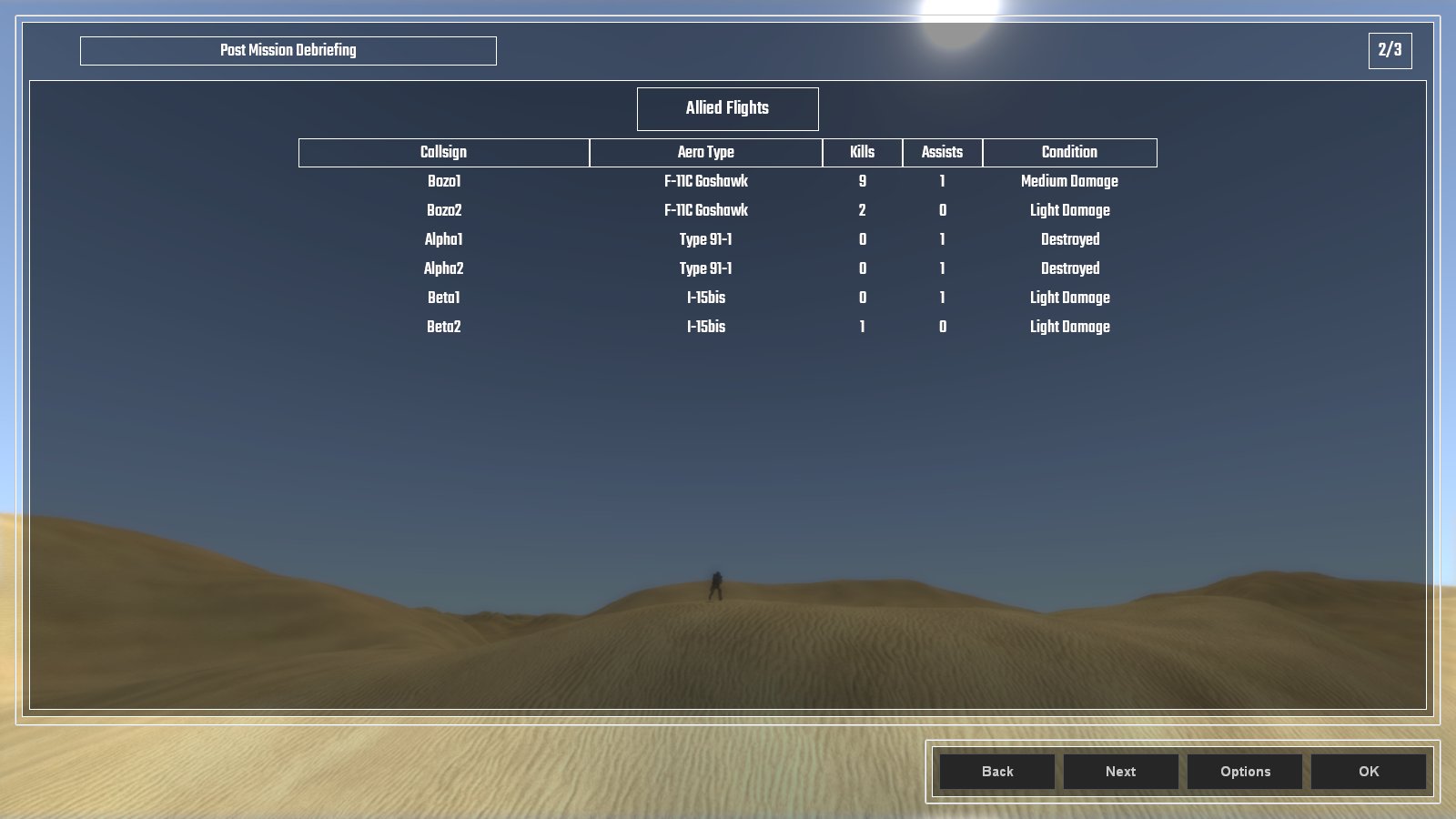
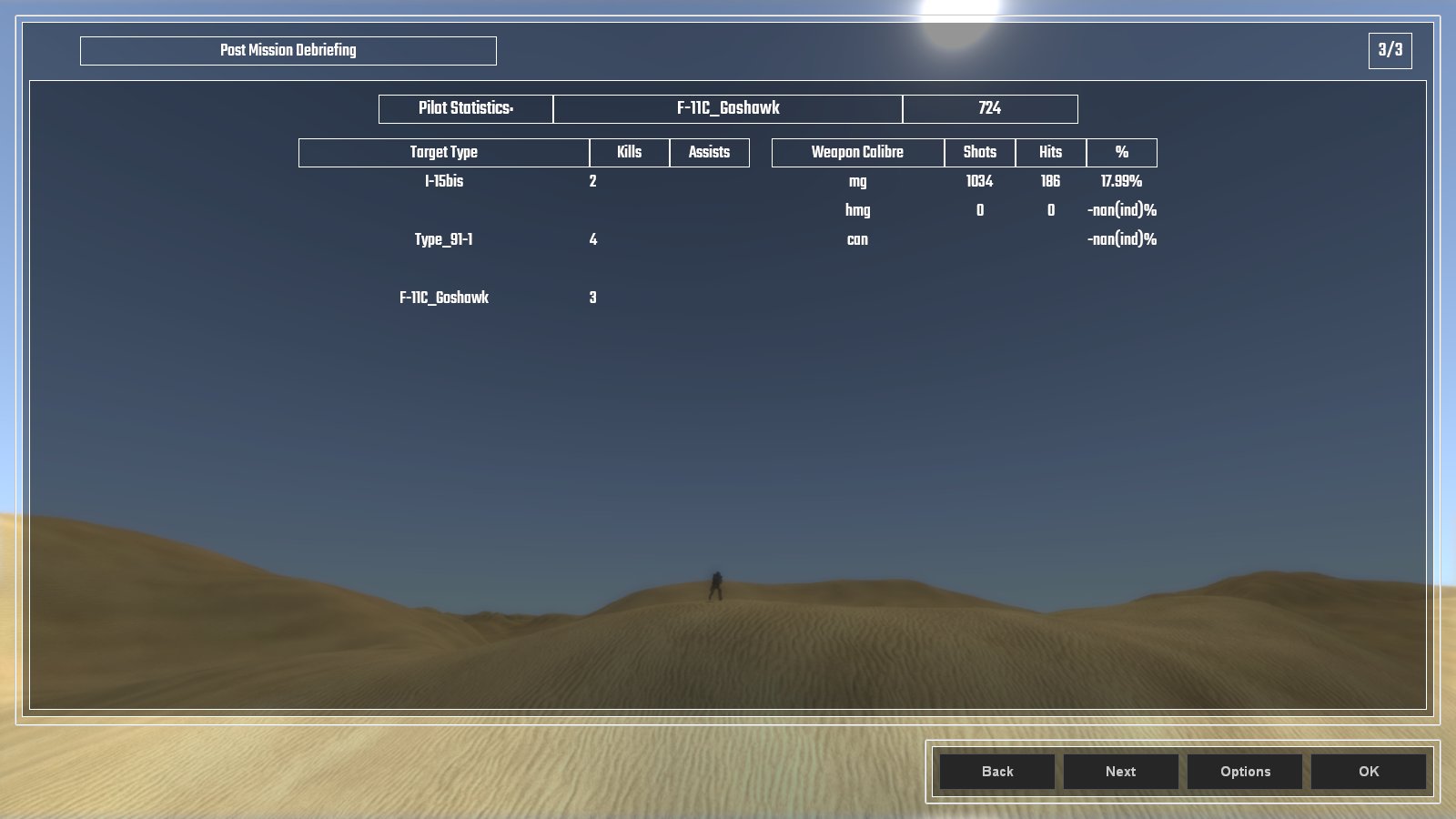
 The post mission debriefing screen lists all the statistics that pertain to the player. All allied aircraft are listed as well as their victories, recorded as kills and assists, and their final state which descibes their damage. Added to this is the individual client's performance which ... when I iron out the bugs ... will list the types of kills and assists they scored as well as how accurate they were with their weapons. Right now ... it's a tad buggy ...

More Lies And Bugs Than Statistics ...

Here's a video of the old way I selected playable flights with the multiple buttons at the beginning, and shows how the briefing screen works for aircraft and paint scheme choice.


And so that was the month that was. August, it was wet and cold and not much of an end to summer. The summer fan is dismantled and stored for next year, and the Autumn duvet is already on the bed for maximum comfy.


Saturday, 31 July 2021

Selection Screen: Aircraft and Insignia

 What's a plane game without a pre-mission briefing and selection screen? Lacking that's what. So here it is.

Choose Your Fighter! Literally in this case ...

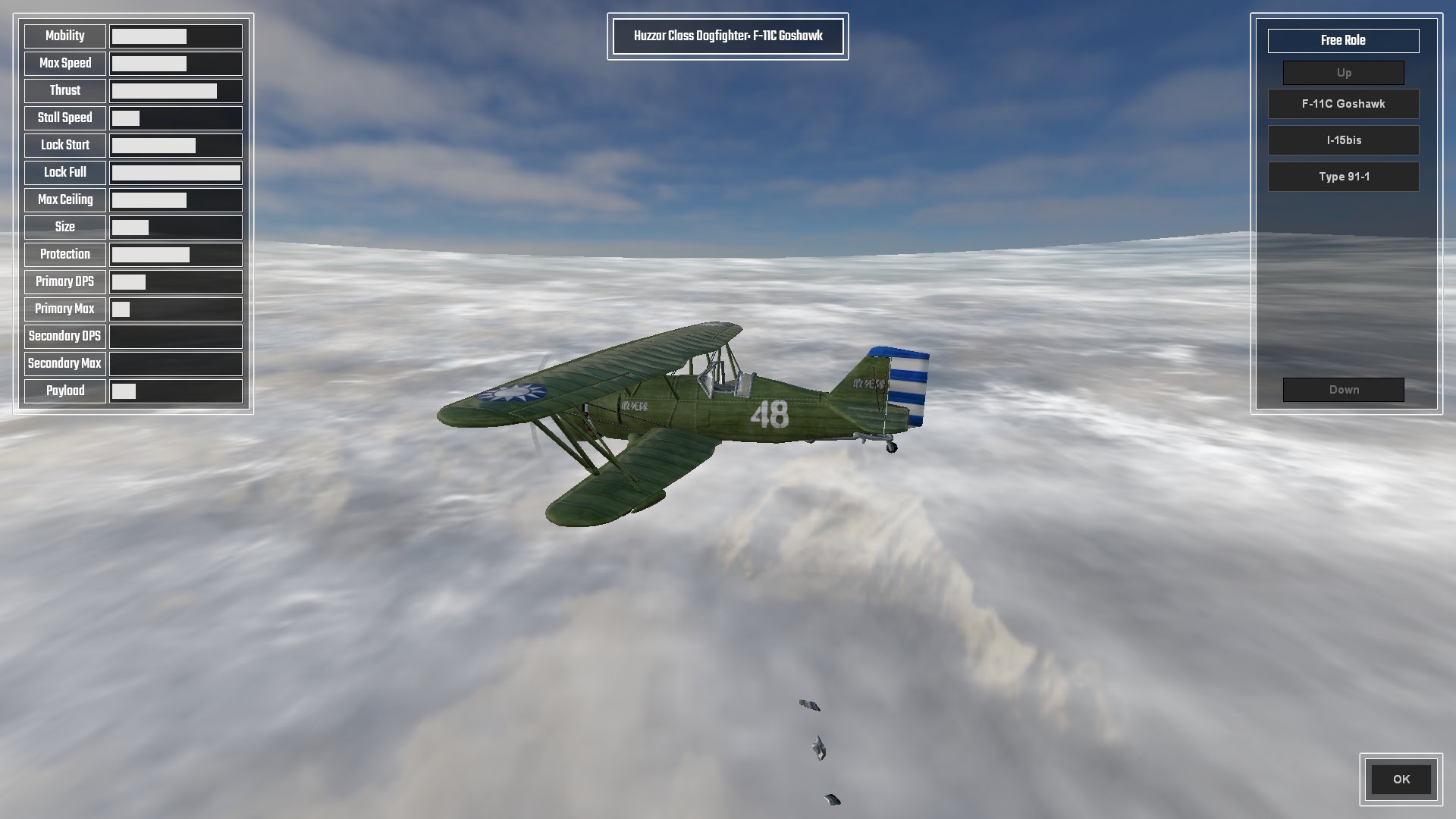
Here is where you get to choose stuff for the forthcoming mission. The overview screen is where the menu is, as well as a reminder of the mission objectives and the important specifications of the currently chosen aircraft, which boils down to maximum level speed, stall speed, and at what speed the ailerons completely lock-up and you wish you weren't in a 90 degree vertical dive whilst holding down the turbo button.

The aircraft selection screen details all pertinent statistics of the aircraft, displayed as a percentage bar based on the min-max of all other aircraft; 

(range max - range min) * (value - min value) / (max value - min value) + range min = percentage

All except, that is, for Lock Start which is based on percentage of Max Speed, and Lock End which is based on Max Speed * 2.

The Fastest Paint Job Changes In The West

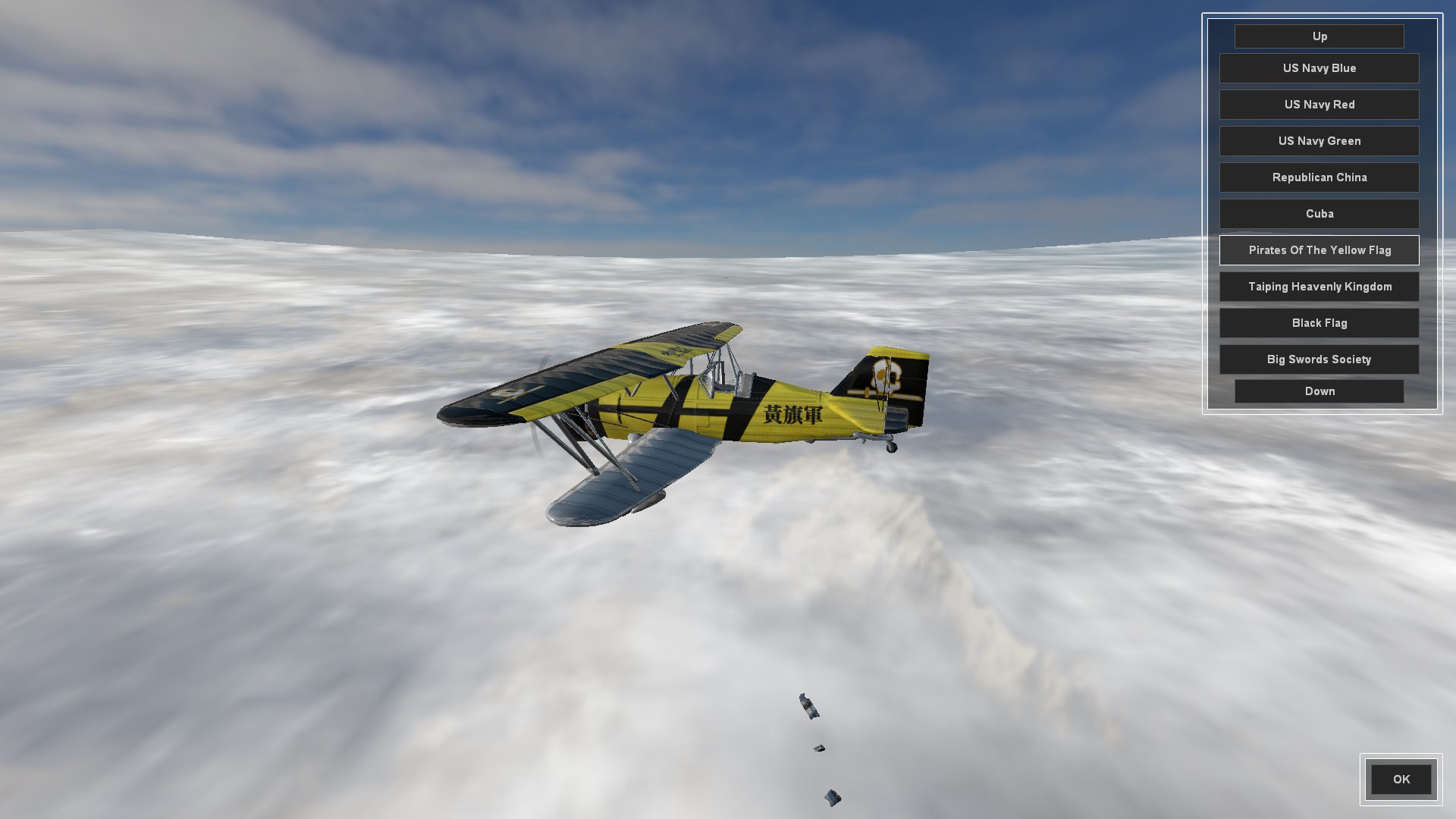
The Insignia screen is where the player can choose their aircraft skin. I was going to call it Paint Job but insignia seemed more fitting. In fact I had a good trawl through the thesaurus for flag, badge and logo before deciding on insignia.

Any skin which can be carried over to other aircraft will be added to newly selected aircraft back in the Aircraft Selection Screen, or default to Dazzle Camo if not.

I am splitting aircraft up into distinct roles (fighter, interceptor, striker/bomber) which have differing effects for lock-up, turbo (WEP; War Emergency Power), stall turns, etc, and am naming these after cavalry units.

So, still to do for the pre-mission screen;

  • Create a Briefing overview where the player can select which aircraft they want to conduct the mission as. Different wings of aircraft will have different roles as mentioned above. Really hate escorting strike aircraft to attack a target? No problem, fly the strike aircraft and have the Ai do the escort mission. This style of play also lends itself rather well to online multiplayer co-op mode.
  • Create a Payload Selection screen that allows aircraft that have external hardpoints to fit bombs and rockets. Also need to create a system for the use of bombs and rockets, as we only have primary and secondary guns coded at the moment.
  • Integrate all of the player choices into the actual mission when it starts.

And here is the whole thing as it currently stands in video. There are three aircraft and about ten skins each.


And that was the month that was. It started with me in shorts getting sunburnt and has ended with me soaked to the skin and wearing a jumper. Classic British summer.

Wednesday, 30 June 2021

Events Dear Boy, Events

 So this month I have been coding a "Mission Events System" loosely based on how Descent: Freespace did it.

Chief amongst this creating a system that read all of the spawnPoint data which held all the info for various events, and anything inside the mission's own custom event file, then tried to organize all of that into something which wasn't gibberish.

I can give you a quick rundown ...

   //this is where the mission relevant data is started
   //all missions related events are controlled from here
   //before we spawn the player we need to load the MissionEventFile (MEF) and all it's functions
   //to do this we need to find out how many players we have
   //treat this number as 1 for single player game and start the mission with the first client joining
   //MissionEventFile holds the missionEventList (arrayObject) and all mission event functions
   //spawnPoints inside the missionEvents folder are for spawning and events
      //spawnStart;
         //1 timed or immediate spawn from player arrival; 1 = spawn immediately
      //spawnNear;
         //object that we should spawn near, if spawnDistance > 0; this overrides our spawnPoint location; defaults to player
      //spawnDistance;
         //distance from spawnNear object in kilometers;
      //dataBlock; <<<<< spawnDatablock
         //literally datablock name for player; eg: F11Goshawk, etc. Never AiF11Goshawk though, Ai gets added later
      //dataType; <<<<< spawnClass
         //type of datablock; eg: aeronautVehicle, etc. Never AiAeronautVehicle though, Ai gets added later
      //startingThrust;
         //starting engine setting as F32, default 0.6
      //team;
         //0 greenFor(neutral); 1 blueFor(ally); 2 redFor(enemy); 3 yellowFor(aggressor);
      //skillLevel;
         //Ai skillLevel 1-10; modified with difficulty
      //callsign;
         //name for vehicle or wing of aircraft based on wingNum and isWing number;
         //eg: solitary isWing0 "bob"
         //eg: isWing 2, wingNum 3 "bob3_2"
      //isWing;
         //0 = no not a wing only 1 vehicle or was a wing which has already been reduced to 0
         //1+ = is a wing, this number goes down everytime the wing is destroyed
         //wings respawn with wingDelayMin/Max time when reduced to wingMin number of remaining aircraft
         //a new arrayObject is created for the wing and all aircraft are added to this from that wing
         //eg: callsign "bob", arrayObject "bob_wing"
      //wingNum;
         //number of aircraft in the wing
      //spawnedNum;
         //number of the aircraft spawned in a wing, ++ until > wingNum then back to 1; this is set by scripts not editor
      //wingDelayMin;
         //minimum number in seconds for the wing to wait before spawning another wing and reducing isWing value by 1
      //wingDelayMax;
         //maximum number in seconds for the wing to wait before spawning another wing and reducing isWing value by 1
      //wingMin;
         //number of surviving aircraft when a new wing will spawn with wingDelayMin/Max. Default is 0, but best set to 1;
      //mainTask;
         //mainTask; 0 do waypoints; 1 dogfight anything; 2 strike target; 3 escort;
      //mainTaskTgt;
         //object for mainTask, can be vehicle, arrayObject list of targets, waypoint or path
      //eventTrigger#;
         //type of event to happen
            //onArrive - has spawned
            //onDepart - has departed
            //onDamagePercent - damage has gone below threshold
            //onDestroyed - uses callback onDisabled and onDestroyed for second check
            //onWaypoint - has moved to waypoint position
            //onPathComplete - has completed the total path
      //eventObject#;
         //object id; eg: onWaypoint = waypoint id; default blank/0/"" is spawnDatablock's object
      //eventDelay#;
         //delay in seconds from the eventTrigger# being completed
      //eventResult#;
         //result of the eventTrigger# occuring
            //script name; function to be activated from missionEventFile (MEF)
      //eventTarget#;
         //target of the event to do something, specifically used for spawn;
         //if no target then it should refer to a local wing or aircraft
         //eg: scorpio wing now spawns in 10 seconds due to eventTrigger1 "onWaypoint", eventObject1 "player", eventResult1 "spawn", eventDelay1 10, eventTarget1 scorpio wing
So that's my own comment notes in the file, though some of that has since been changed ... probably.

Part of this is "wings"; groups of aircraft that spawn together and can respawn in "waves" when their number has been depleted to a certain amount.

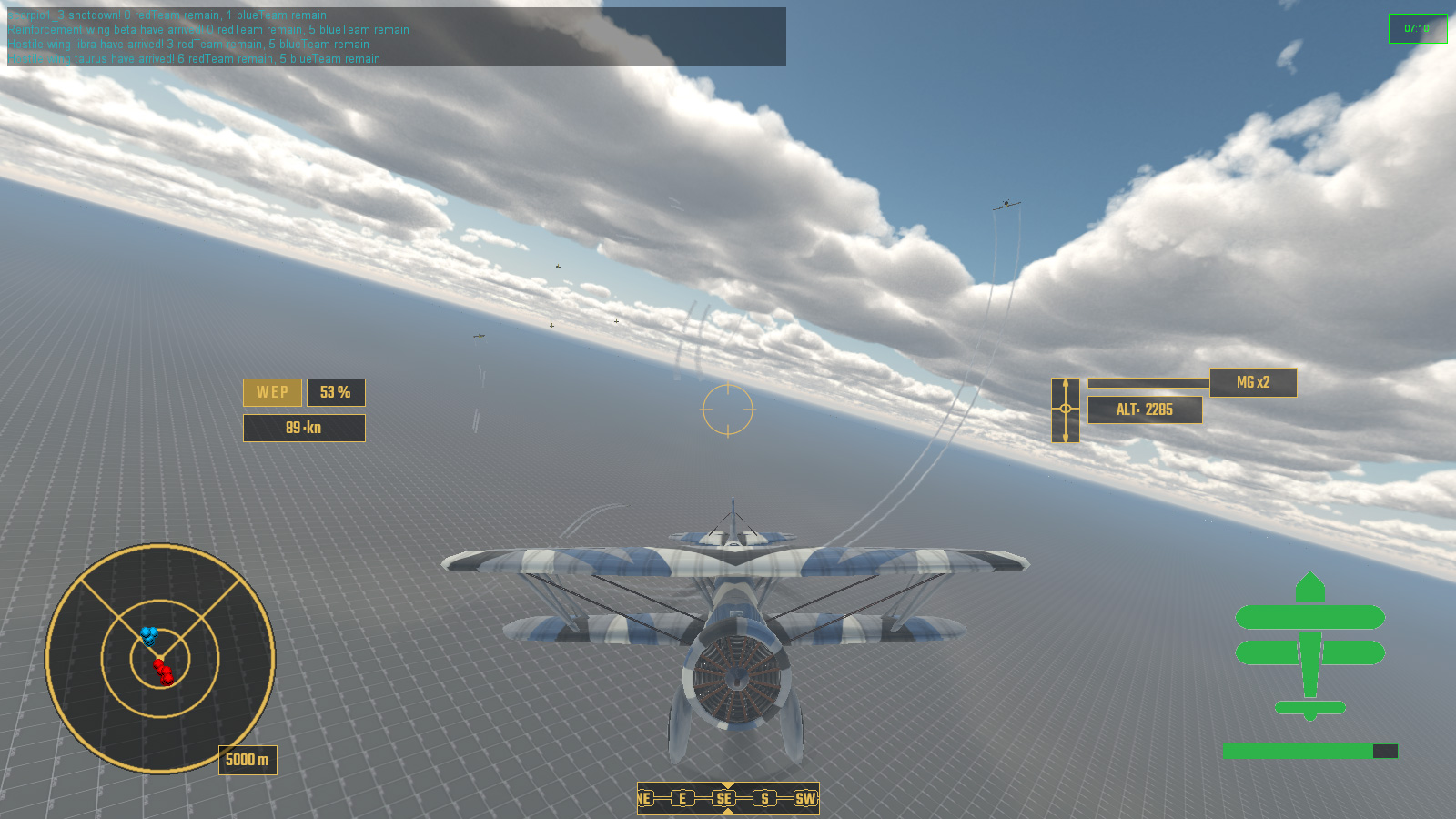
Contextual Messaging about Events in the top left

And what are events without victory and defeat conditions? Not very interesting that's what.

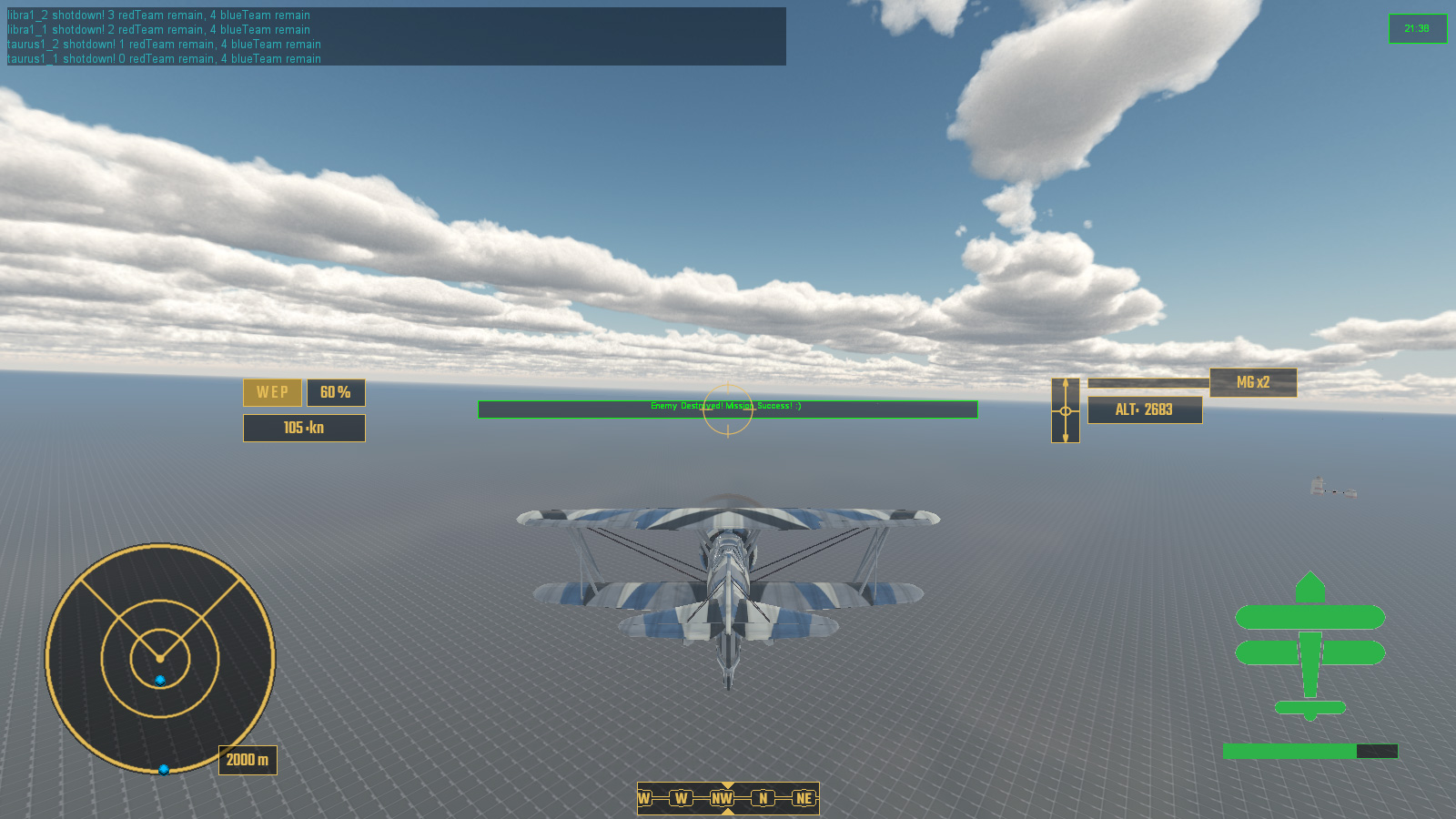
Events - hurray you didn't bugger it all up!

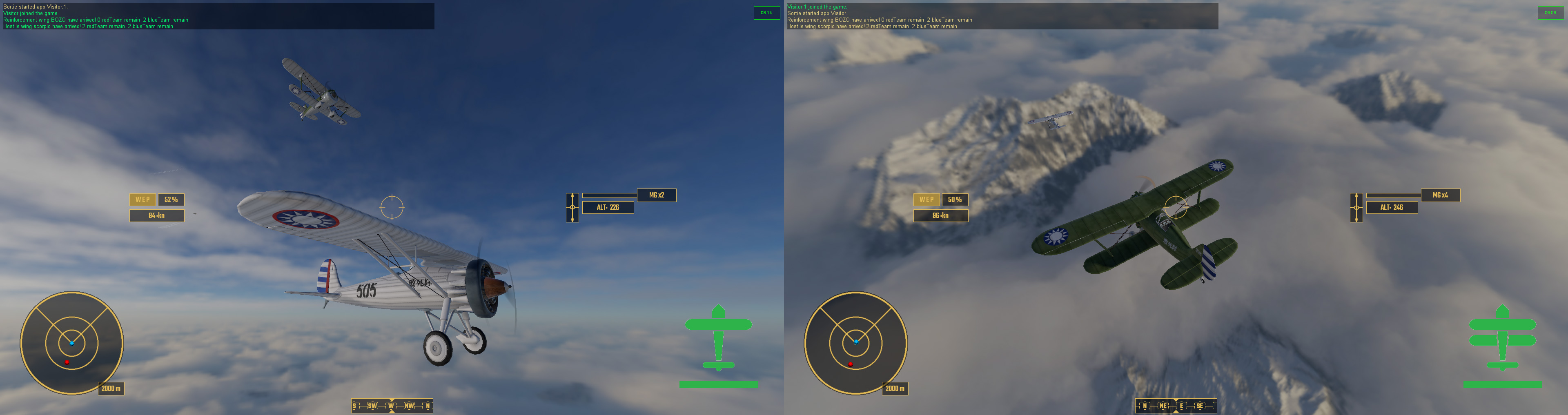
So with all of this in place it was time to create something which looked like a proper game mission. And here it is!

Here's a quick overview of what happens:

  • Victory Condition: All enemy are destroyed
  • Failure Condition: All allied reinforcements are destroyed
  • Player Spawns Event
  • First enemy wing SCORPIO spawns with a delay in response
  • Enemy wing SCORPIO is destroyed
  • Allied wing of reinforcements spawn in response to SCORPIO onDestroyed
  • Enemy wing LIBRA spawns after delay of reinforcements arriving. Also enemy wing TAURUS spawns with an even longer delay, near reinforcements.
  • After losing 3 out of 4 reinforcements I go and help out the last one before completing the mission.

In this playthrough the reinforcements were not very effective and got pounced on early by the enemy fighters, in other tests they accounted for some kills and assists.

When the mission is over status of all aircarft is printed to the console, detailing kills, assists, damage and the such. Eventually this will be part of a debriefing screen.


So that is the month that was. Roll on July.


Monday, 31 May 2021

One Spell Pony Says Explosion

 This month I have mostly been dealing with explosions.

And vapour trails and general special effect type stuff.

And I found out that the PBR I had been using had broken metalness which was fixed on a newer engine version, so I had to redo all my PBR maps again, after having to redo all my PBR maps again last month because I had Occlusion and Roughness in the wrong RGB channels ... but back to those explosions.

Right back at the beginning of Unnamed Victoriana South China Seas Dieselpunk Dogfighter I created a system of damaging individual aircraft parts, thus degrading performance related attributes like turning, speed, etc. Now I neeeded to actually make it look like something was happening when this actually happened. I threw in a small explosion with a nice little puff of dark smoke to let everyone see that a damage limit had been reached. When this happened a mesh element would be swapped for a more damaged version so that the player could visibly see their aircraft being steadily shot to pieces.

Here is test to show all the parts of an aircraft that can get blow clean off

 I came up with a somewhat hacky solution of hiding the destroyed area and then spawning the blown off part of that area as a static object, so that I could use the same skin texture as the aircraft and give it a spnning animation, and mount that onto a projectile that was gravity heavy.

And of course if an aircraft takes way too much damage all over rather than having a single part get blown off, it just explodes. Whilst some of the debris is made up of model meshes, most is in fact animated sprites for small metal plates tumbling through the air.

Explosion!

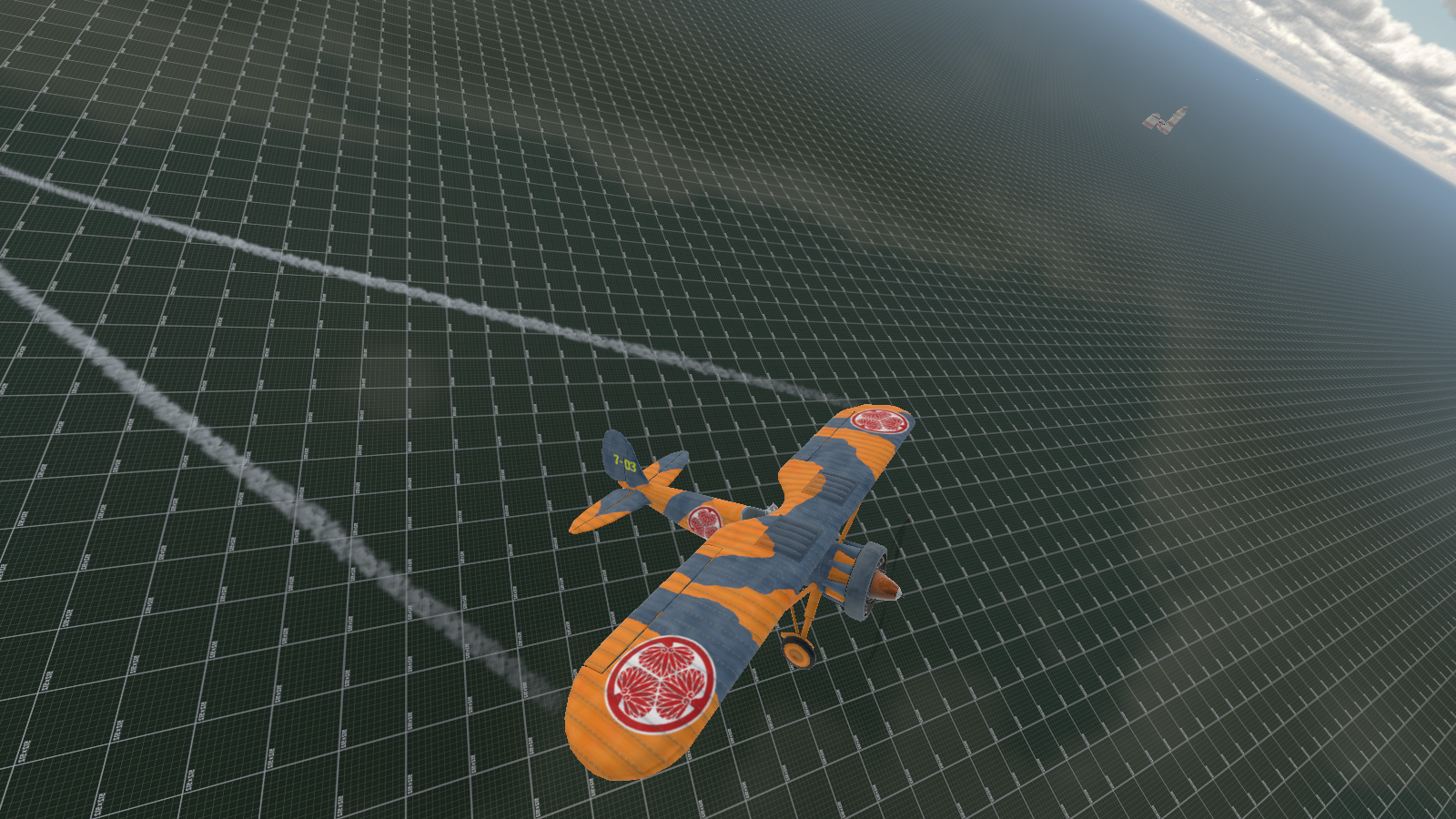
I also made some Dazzle Camouflage skins for the three aircraft types I had previously modeled.

Dazzle Camo; The Rule Of Cool

This brings us to actually sorting out some sort of gameplay mission, and for that I started working on an Event System. I have been thinking of taking a cue from the old space shooter Freespace and FRED, FReepace EDitor, as to how missions are put together. It had a drop down editor for logical arguements which acted as cues for events, thus preventing someone from filling it with absolute gibberish. The premise is quite simple, if x happens do y. Most of this is about spawning new waves of enemies or ships as well as keeping a general tab on mission objectives.

I have come up with a system based on using scriptObjects in the mission for each aircraft or ship or active thingy, all stored in a named folder in the mission editor for ease of finding, which then accumulate to an array on the load game event, waiting for the events to be checked against array list and ticked off one by one. 

The idea is that something occurs - eg1: player connects - the Event System looks to see if anything else needs to be done - eg1: enemy aircraft wing spawn 15 seconds later.

eg2: Enemy are down to 25% numbers, second enemy wing spawns.

eg3: Second enemy wing is destroyed, large enemy formation arrives. Timer starts for player to survive for 120 seconds.

eg4: 120 seconds later, allied wing of reinforcements arrives.

eg5: All enemy destroyed, mission accompished.

And so on and such forth. Minus timers the Event List is entirely passive and is just checked against when something happens that was stored in the array from the aircraft scriptObjects in the editor. This seems to be the best result for low overhead.

So, that was the month that was, and next month we will hopefully have a fully working Event System and actual playable mission which I intend to be a homage based on the first mission of Freespace: The Great War.

Sunday, 31 January 2021

Space Year 2021: Stage 1 of 12 Complete! Dogfight!

It's the futuristic space year of 2021 AD, stage 1 (January) of 12 (the Annum) has been completed ... though you might be forgiven for not noticing ... 


Having previously worked out my issues with Ai pilots taking a leading aim on a moving target I have spent all of January getting them to actually dogfight one another. Choose target, go fast to get into shooting range, slow down to follow it and blow it out of the sky. Took a bit of doing but worked nicely. 

Next up was creating a system of evading when an AI came under attack rather than just sit there and get shot at. Reading through vast tomes of air combat and aerobatics, I managed to come away with ten meaningful emergency maneuvers to try and shake an enemy fighter, and added a barrel roll if none of the others seemed to be an oppropriate match for the defenders circumstances.

 That's not a barrel roll (ノಠ益ಠ)ノ彡┻━┻

This brought some problems itself, that in high-G maneuvers such as a Stall Turn, the Ai had a nasty habit of losing all energy and ... well, stalling ... a lot.

He's written his Artificial Intelligence Pilot Engine Management System? Stall it.

So then I embarked on a complete rewrite of how my Ai would use engine management. Previously it had been a simple case of setting engine percentage with a nose attitude modifier, now it was all about maintaining the desired speed. This massively reduced stalling in tight turns but not completely eradicated. So I added an anti-stall system that would force the Ai to move to a desired rate of knots should their airspeed drop at a rate that would bring them within the losing height at level flight, with a nose attitude modifier. I reused the anti-stall method which I had written for spawning aircraft and getting them up to their starting speed immediately. The maths required a bit of evening out for an object that already had velocity in 3 dimensions and initial attempts had some supersonic thrust propelling the vehicle across the sky like Warp Factor 9 but I ironed these out eventually.

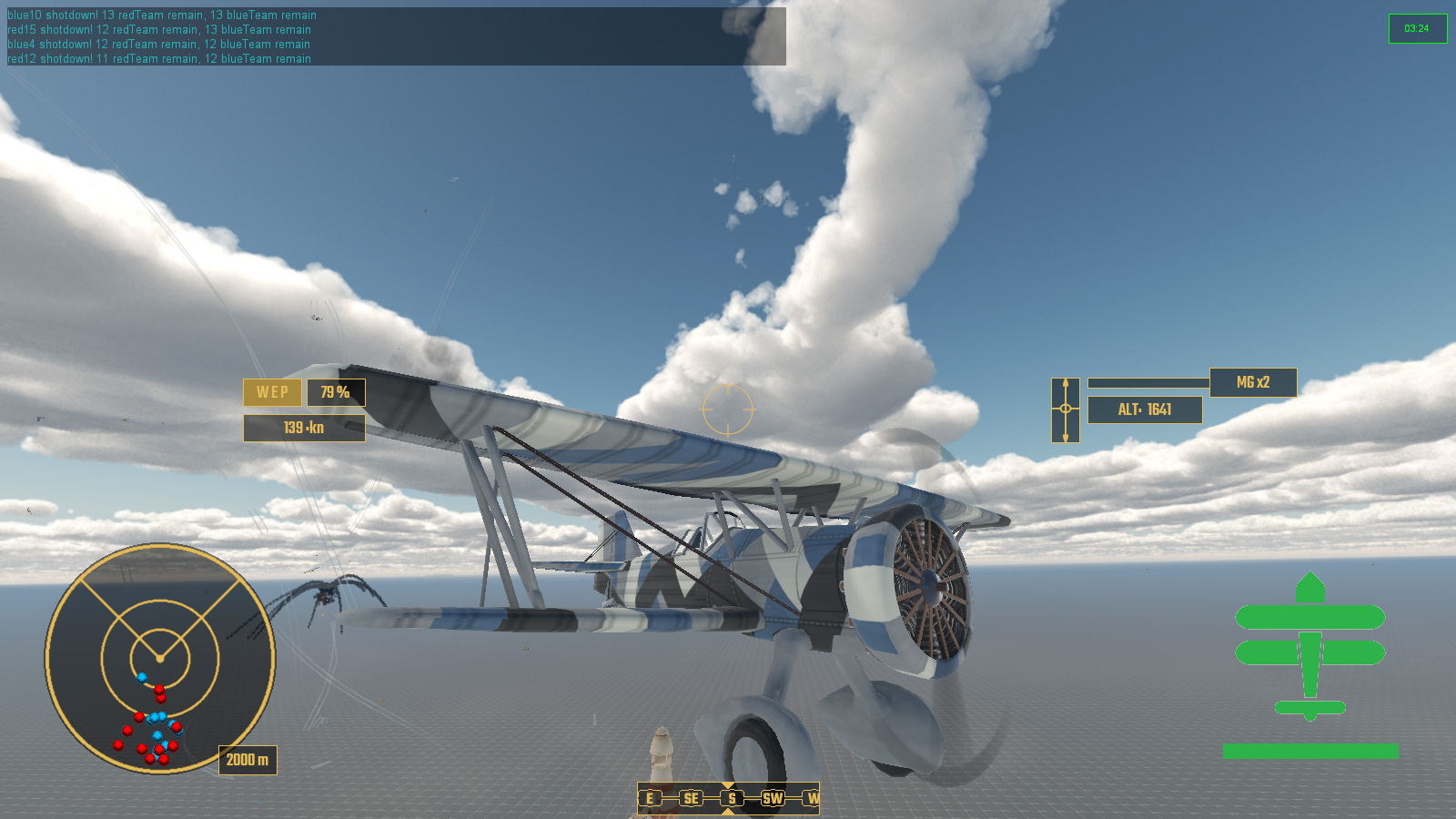
Unedited video of an 8x8 dogfight

Coupled with all of this was the the obvious need for collision avoidance, both from other aircraft and the ground and max ceiling which each aircraft type can go up to before the engine is starved of oxygen and stalls. Dynamic collision avoidance of other moving objects was somewhat of a pain in the maths but I got there eventually with very little happening in the way of head-on collisions during mass heda-on attacks at each other team's formations.

32 aircraft head on attack - no collisions just 2 shot down
64 aircraft battle moments after the first pass, and why it's called a dogfight I guess

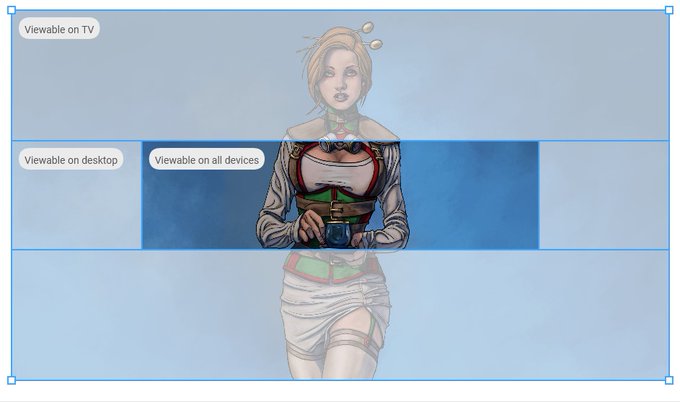
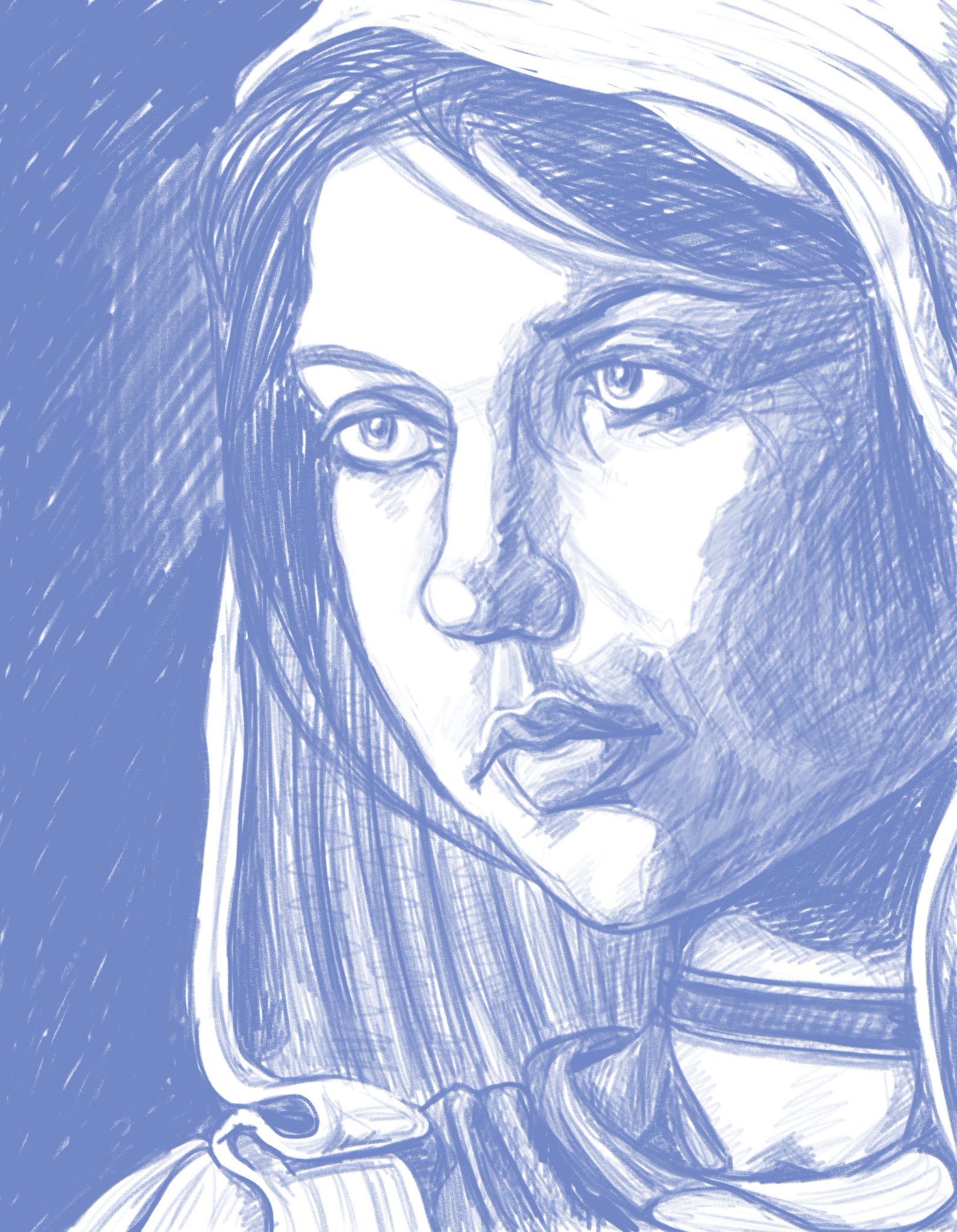
In other news I decided to update the banners on my youtube account, and give them some new artwork. Here I discovered that it doesn't actually let you reposition your artwork and keep scale after upload, so had to edit the image to fit into their stock measurements and orientation.

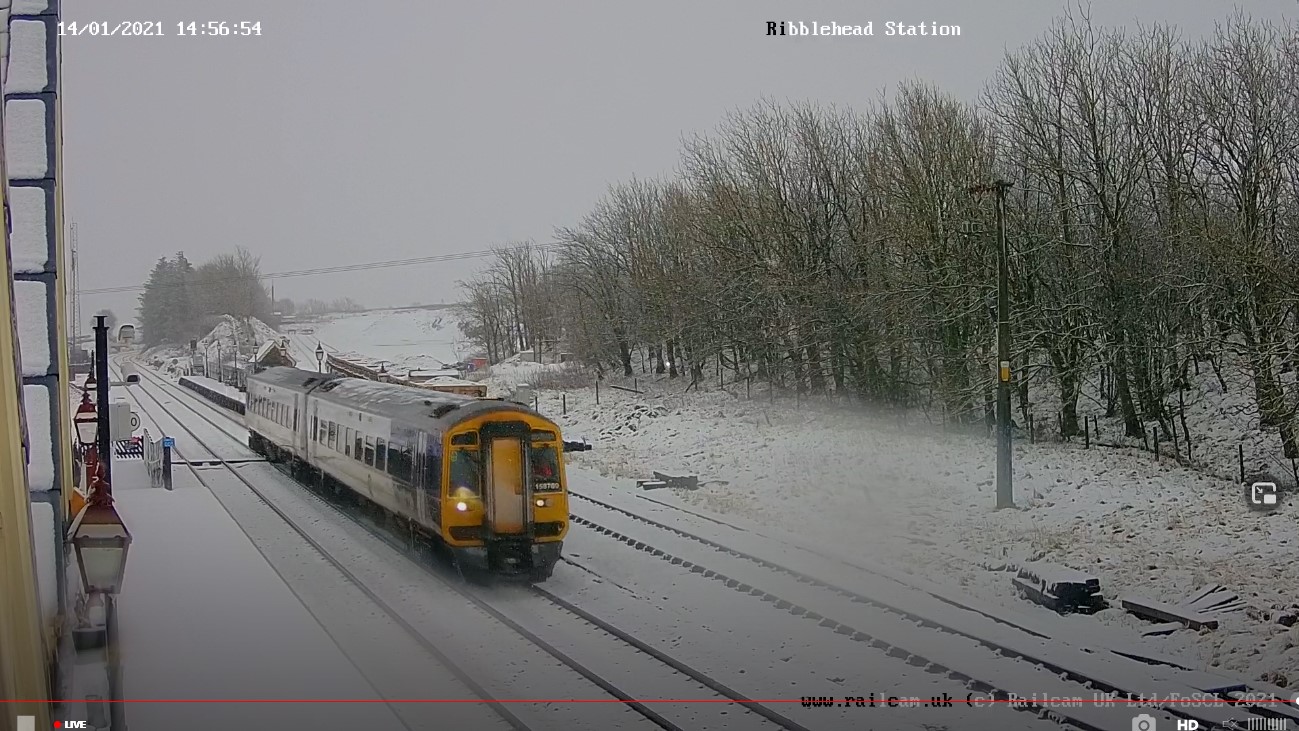
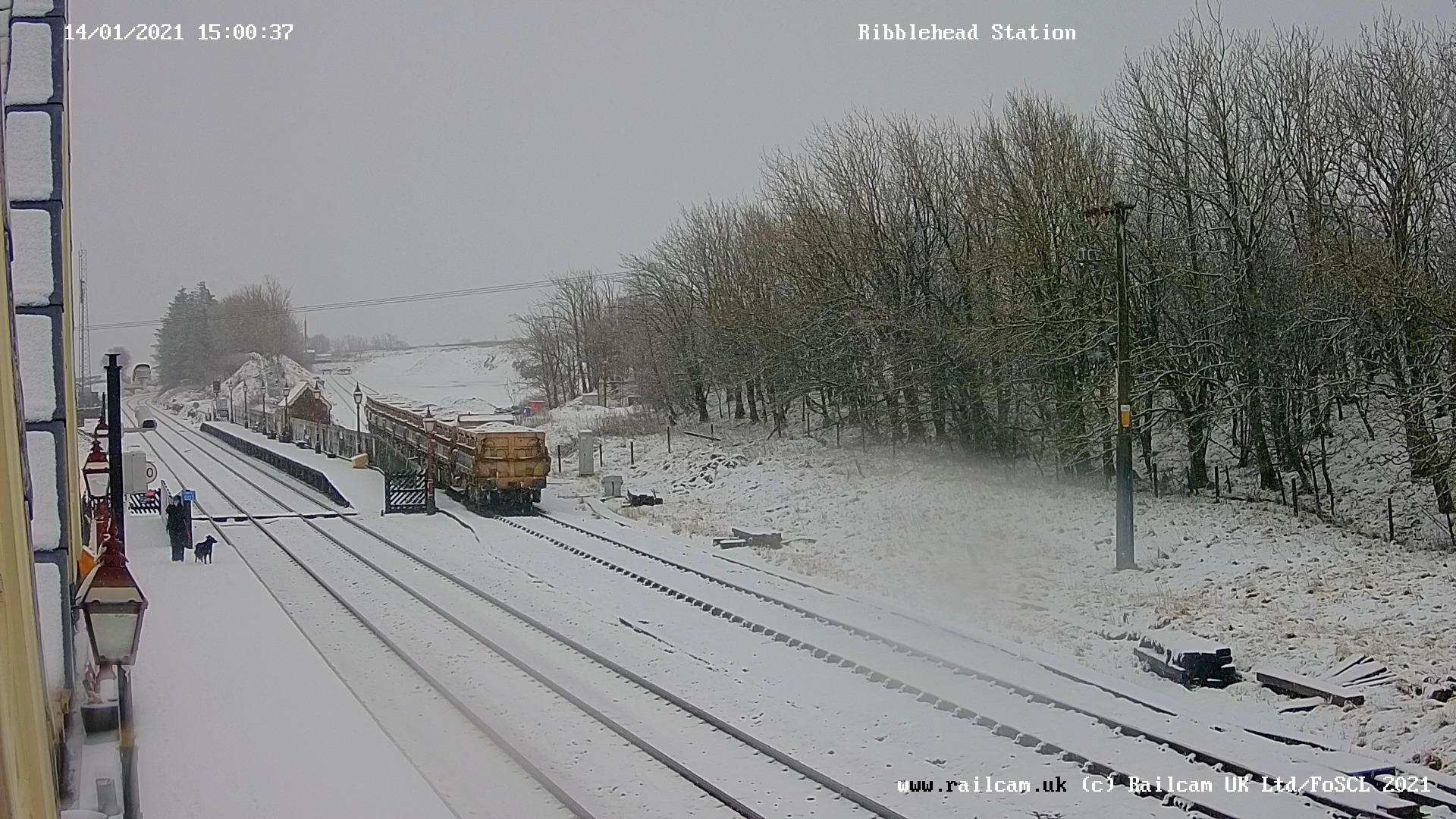
I also spent quite a bit of time viewing train stations webcams on a spare monitor whilst I worked for maximum comfy.


Everywhere seemed to be getting snow ... except me, it just rained here. (๑′°︿°à¹‘)

So, that was January, Year of The Koof Part Deux, pubs are still shut then ... Join me again in next months exciting episode of "why is maths hard?"


Monday, 31 August 2020

Character Selection Screen

So I've knocked up a character selection screen that, currently is rather devoid of any art work. It's failry simple, uses an array which the player can flick through, each character (currently a whole 2) then display an image of the character (which is currently a placeholder) and more importantly a series of statistics relating to the character at the side. These include the basics such as speed of movement, health and energy replenishment and strength for pushing enemies aside. This is followed by the 3 types of attack and evade, and their relevant statistics, so the player can move through character selection and view the differing statistics for comparison.

I have since changed the buttons to something less awful using a bitmap array and text.

Having finally dispensed with DirectX 9.0c in favour of DX11 and OpenGL, I set about converting some of my custom shaders with ... not particular success.

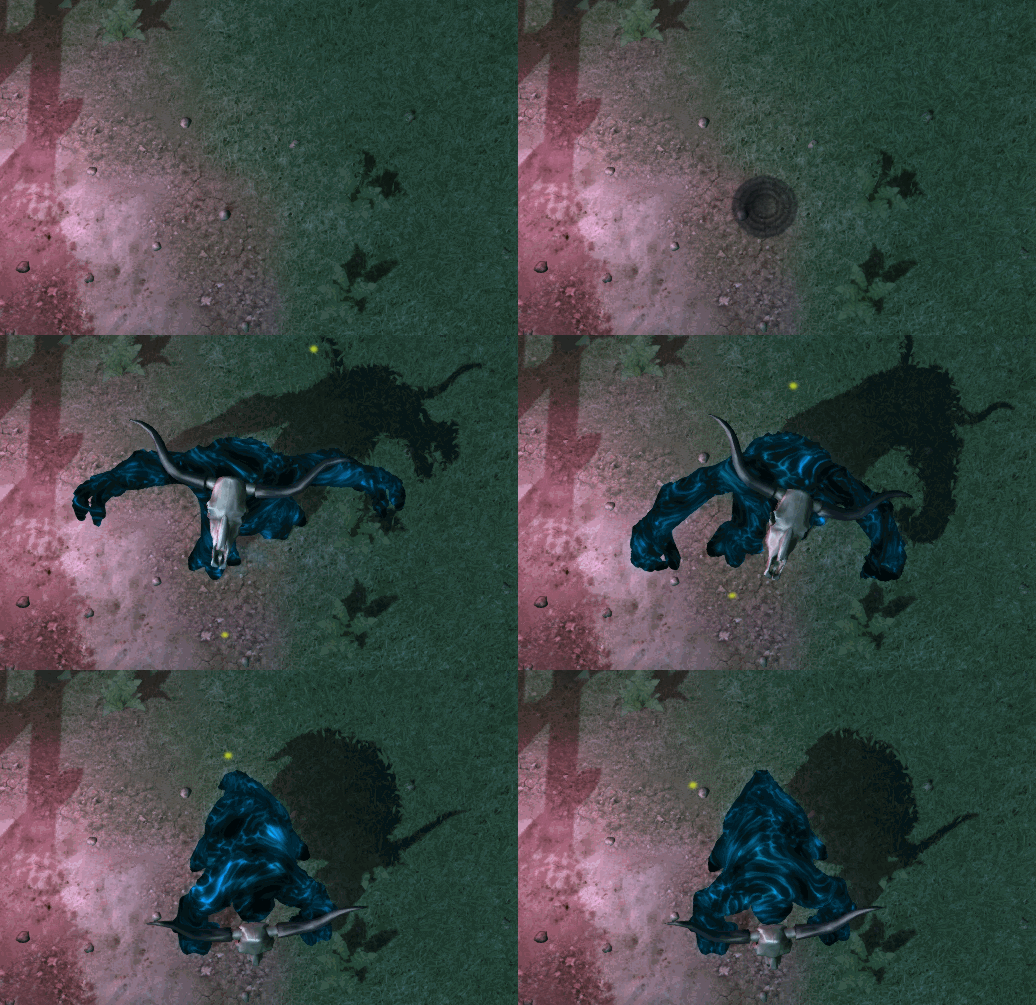
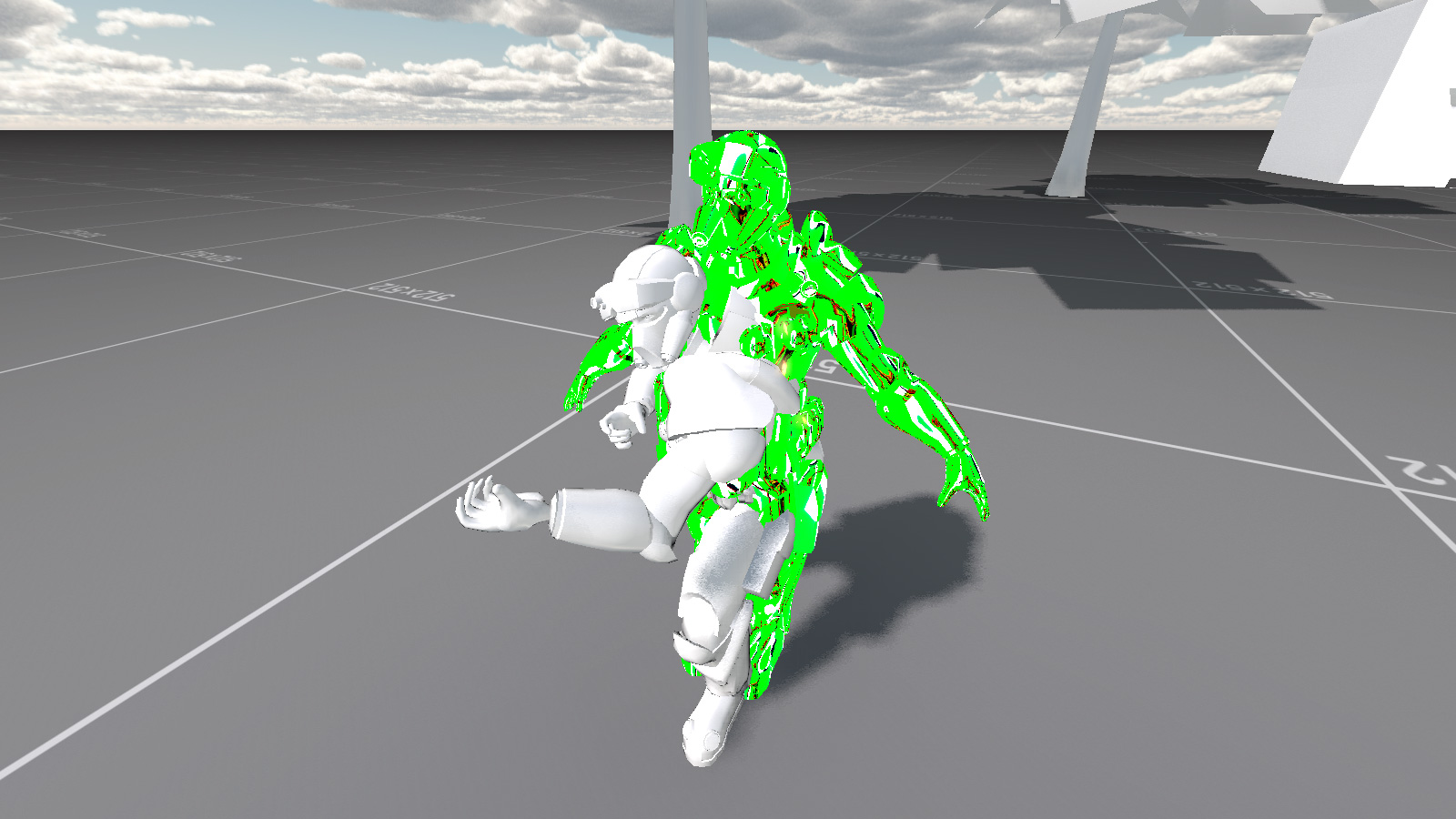
Yeah, I'm pretty sure that isn't supposed to look like that ... This appears to have something to do with hardware skinning being controlled by the GPU when previously it was the CPU. As this only affects a few things I have come up with some workarounds for the fancy custom materials and will come back to this at a later date.

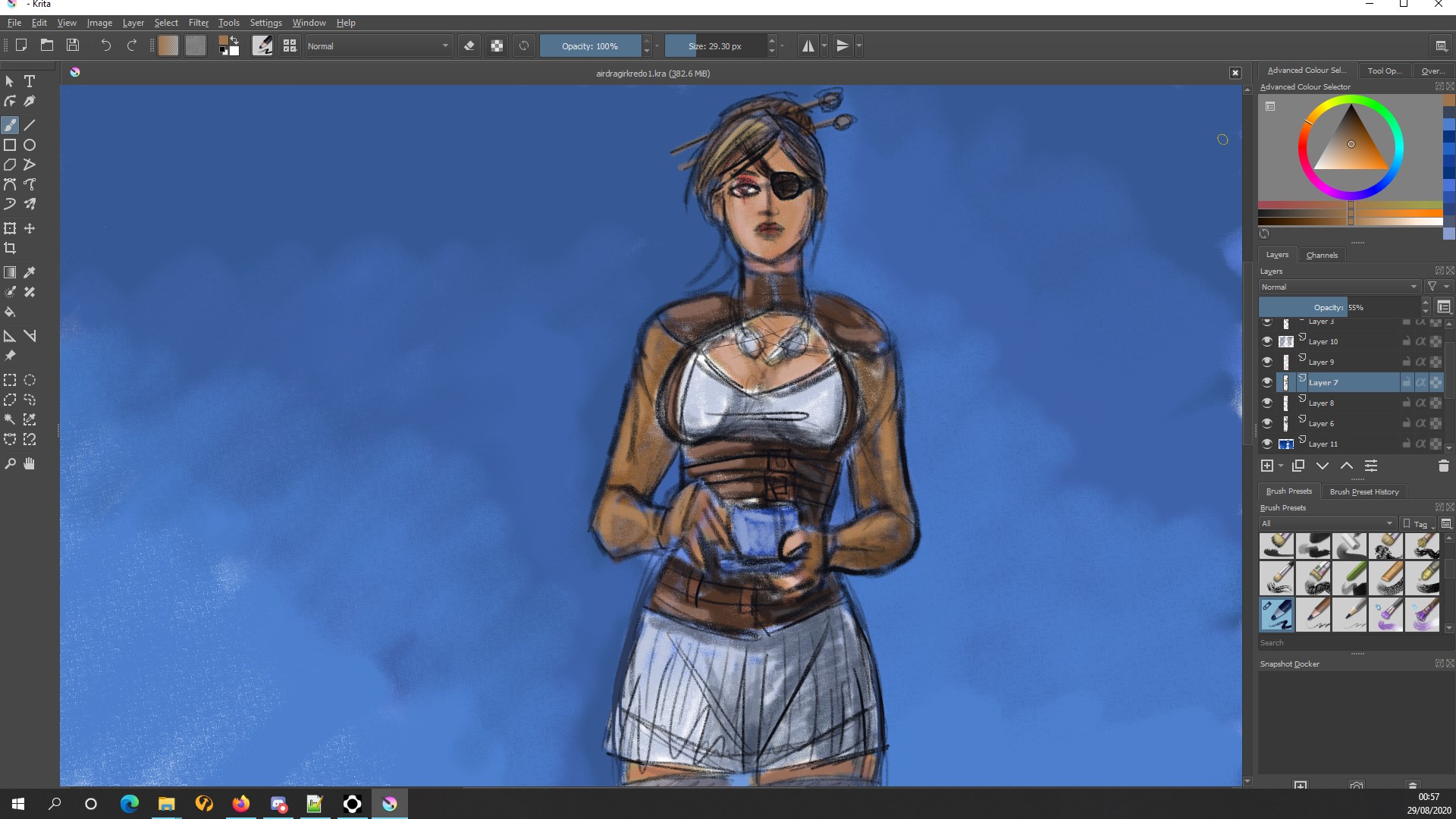
I've also had more of a play around with my XP-Pen display tablet and started to become familiar with the artist app Krita. I am planning on using this for the 2D art in game, and especially the selection screen for character portraits.

Drawing of an old oil painting I did some time years ago.


I also thought about reworking the artwork for Airship Dragoon, and knocked up a colour sketch idea for composition. Might not actually replace the original artwork but could use a new one for Steam's new capsule formats for updates - then again I could go the whole hog and use it for complete new rebranding.
 

I also did a whole load more stuff this month but can't actually remember what it was ...
 
Anyhow, onwards and upwards ...

Saturday, 30 November 2019

The Clip Show Episode Except It Isn't

It's been a hectic month. So hectic I'm going to have to make a filler blog post. But first some actually useful progress ...

I was helping someone out who was having issues getting the exported collision meshes to work whilst using the imported FBX format from Blender 2.8, to the open source Torque3D MIT Version 4; Preview Build 5.

Binaries of which are downloadable here:
http://ghc-games.com/SC/Preview4_0_bld5_win.zip http://ghc-games.com/SC/Preview4_0_bld5_lin.zip http://ghc-games.com/SC/Preview4_0_bld5_mac.zip

Or at least I thought that was what the issue was. It might have been something else. Either way, I successfully resolved this issue, real or imaginery, so I may as well take the time to share it.

 The secret is to use the same node system as you would for DAE (COLLADA).

It appears that when importing FBX format naming is more required than when just using DAE. Anyhow I had a play around with exporting FBX from Blender and here's what I found.

1: It really likes the DAE hierarchy if you want working collision meshes when exporting FBX. :|

Image

2: If you import as SingleSize your object meshes require trailingNumber LOD else the collision meshes will not work. :o Weird right? :?

3: It will import working collision meshes when using DetectDTS or TrailingNumber (even when you have no trailingNumber) without trailing numbers for LOD. :shock: Did I mention trailing number in that sentence at all? :?

4: FBX is HUUUUUUUUUUUUUUUUUGE. :o Importing at scale 0.01 is the same as importing a DAE at 1.0.

So, on to the filler bit.


Headpats ...

In other news I ventured into the 21st Century and got the cheapest fibre optic available, finally allowing me to upload files 9 times faster than attaching them to the leg of a dead pigeon and sticking them in the mail box.

Here is a gameplay video which was 2 gigabytes that uploaded in 30 minutes. You still have to manually select 1080HD on YouTube or else it'll play the 480 pixel version, even if you got full screen and it lies to you about which quality version it's playing ...


So, that was the month the wasn't ...

Monday, 30 September 2019

Big Boss Battles


The Big Lad

So after the joy/struggle/despair/awkwardness* (*delete as applicable) of learning how the new Blender3D works and then creating an actual character to replace the player's Small Yellow Placeholder Cube, it was time to go after the remaining Big Red Placeholder Cube which had been standing in for the level boss character.

As ever things went horribly wrong for seemingly know apparent reason other than the entire universe having it in for me.


I had split up animations from the actual mesh - that way it keeps loading times down whilst changing things on the fly during development, and means that multiple models with the same armature skeleton can share animation data and thus reduce file sizes - when suddenly everything stopped playing nicely and went back to mutating into a horrendous mess of twisted limbs and multiplied rotations.

The reason this time turned out to be because I was exporting the mesh model in the first frame of the root animation - which is what you would want for blended animations - but I should have exported it out in a copy of the rest pose ... regardless of the fact that this had previously been fine with another model ... which meant that the solution was far down my list of things to test to see if it worked ...

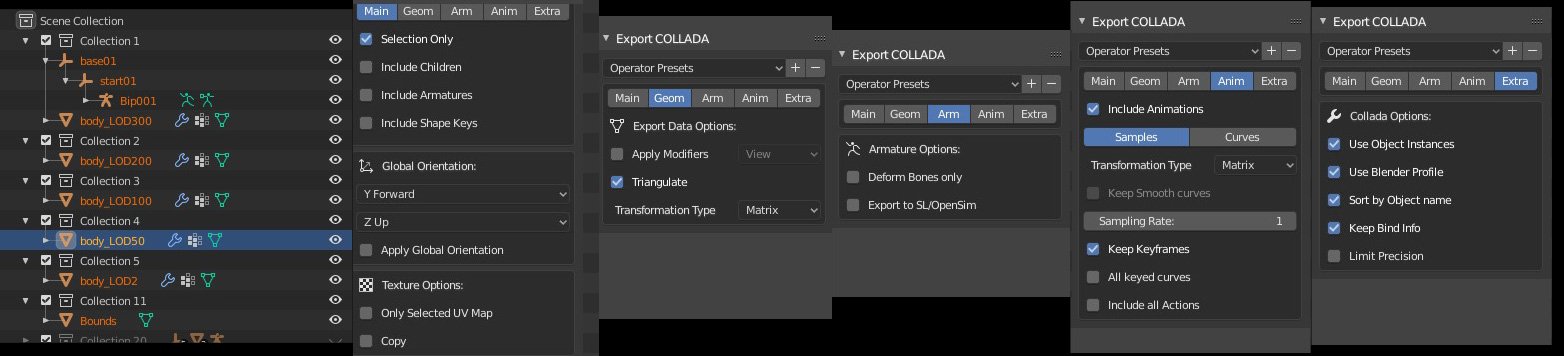
Exporting COLLADA/DAE format from Blender to Torque has become even more specific in Blender 2.8, mostly due to there being a huge number more options available and thus a huge number more things to possibly go wrong ...

https://pbs.twimg.com/media/EDtDhZyXoAApzaI?format=jpg&name=large
I before E except after C ... Also Hierarchy which breaks the rule, and hierarchy is very important ...

I ended writing a little explanation of Blender3D to Torque3D Collada exporting and the importance of hierarchy over on the forums.

Eventually I managed to get "The Big Lad" - as he is currently known unless I can think up a name later - into the game and working. Here's a quick look at him in action. I say "quick" because he squashed me in not too much time. Select quality 720x60fps manually or youtube's autoHD says it's selected it but it's telling fibs.

I fearsome foe! Especially as I end up as pate ...

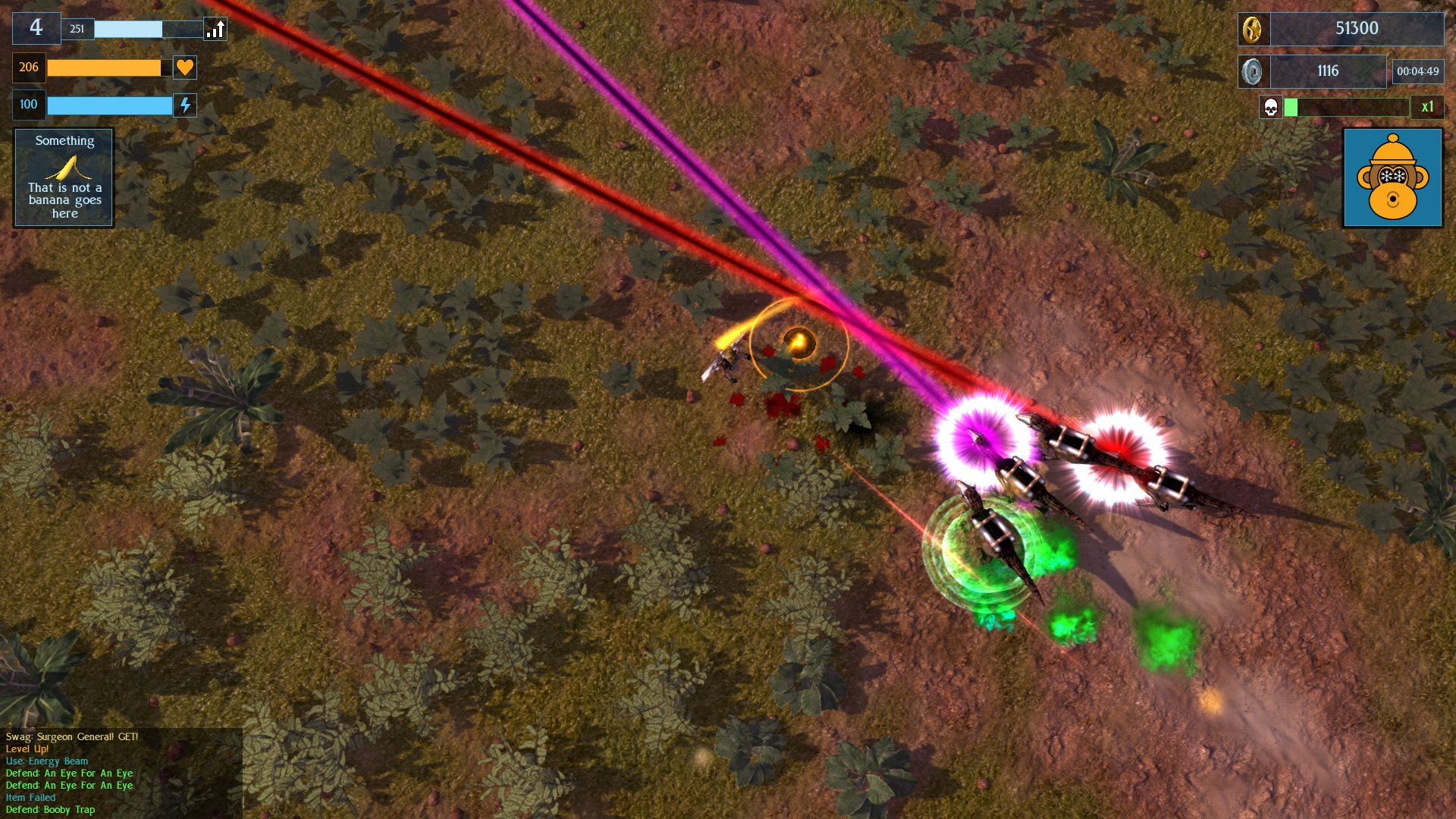
Apart from that, I modified my laser-beam-wielding veclociraptors by adding helmets and power-packs to them so that they now look different from the other dinosaurs which just bite.

Sharks Dinosaurs, with frikken laser beams on their heads!

I also spent some time modelling industrial scenery, lots of pipes and stuff for a forthcoming level. This will be the fifth level in the game, out of a total of ten - though they will loop for long play. No actual pictures of that yet as it is still all in bits.

So, that was the month that was. It got really warm and now Autumn has truly arrived and I've put socks on. Lot's of other things happened game development-wise but I can't really remember them. Next up is the Overgrown Industrial Level which has been reclaimed by nature, and more boss monsters.