Showing posts with label pureLight. Show all posts

Saturday, 28 August 2010

Blender-PureLight-Jefferson Starship-ShapeEditor-Prefabs-LOD

Yep, I think that sums up this posting quite accurately ... and if it doesn't, well hell, I ran out of space in the title anyhow.

Blender ... scourge of Damocles, liberator of ... er ... I don't know ... stuff ...
Also Jefferson Starship.

As free goes, Blender's awesome, but rather lacking of a working DAE importer (no, I haven't tried 2.5 yet). But it's free - so workarounds should be expected. It's not like you've forked out a shovel full of cash for PS and then have to patch the PNG exporter, can't say freebie Gimp ever suffered from not being able to export a standard format ...

I'd been thinking of ways to (re)build a town (again ... and again - BSP lol!) since making various test versions, and had come up the idea of using a few stock buldings, repeated through-out the landscape. Basically a detached house, a semi-detached (dual building), a cottage, a large manor house, a church and chapel, a multipurpose large public building with changeable props, and a couple of other things.

And whilst knocking up a detached house in Blender (with 140 collision meshes) I cam across a formula. Exterior Mesh - heavily LODed, Interior Mesh - (just the rooms no details) lods out completely at distance and the exterior takes over, and Props - furniture, stairs and details which lod out once the player is a bit outside. Props is the biggy 5500tris of beds, wardrobes, sofas, toilets, stairs, window ledges - uses 3 textures. Interior is a simple 700 tris, but uses 6/7 textures, and the Exterior has a fair few textures, but quickly LODs down to a simplified single texture (by amalgamating all the materials into a single low-res texture) and Interior also does this, so all good for performance there.

Of course there's one problem ... and that's that the unlit interior looks kinda flat, and in Lowest Lighting is just bloody awful.

PureLight Huzzar. So I decided to tonemap the Interior and Props meshes, giving a little depth and interest to the ambient. Nothing fancy, just a light ambient through the windows, something that doesn't look too out of place if you have in-game sunlight coming in as well.

Also Jefferson Starship.

Now in Max or something, you'd reimport your tonemapped meshes and stitch the whole thing into a file ... but Blender ain't gonna do that, so I cranked out the Shape Editor for a test run. I found that it was easy enough to add a new mesh LOD to my Interior (2 meshes remember, same tris but one has only 1 material) and then a dummy LOD of a single triangle to force the mesh to LODout completely. I soon found that sharing a dummy LOD object with another mesh causes issues so each new LOD/Dummy requires it's own individual dummy LOD object (might've helped if I'd renamed them but nah ...).

Anyhow the upshot was :
Exterior - fully Loded, no tonemaps
Interior - Loded with ShapeEditor, tonemaps
Props - single Lod, Lodsout fast, tonemaps

Also placed correctly, the only thing remaining is to zip them up into a prefab, and drop them into a level as I please. RESULT!

And then I found that somethings can affect lightmapping. SubSurface scattering seems to help lightmaps fight off the power of the ambient and preserve their vibrance.


And as you can see from the above pic, various settings alter the way ambient and tonemaps interact ... and boy, does BasicLighting look nice now! Not that I'm ever going to be using it personally ... but someone ... somewhere will.

Also Jefferson Starship.

Did I mention Jefferson Starship? (caution:Flash)Clovis Music Festival. Tip the parking attendants, if they speak with a funny accent that includes words like "ee bye gum" they might be my folks - don't ask my dad to explain cricket ... Last year featured my mum holding back a horde of hysterical middle aged women as they tried to rush the stage and tear the clothes of a teenage Richie Vallens impersonator ... the lucky young bastard!

Of course some of us poor buggers aren't retired so it'll be business as usual on the one man -who's not entirely sure what he's doing- game development.

Talking of which, I had a quick test of close range combat against a melee based foe.


Which was geniunely quite panicky - so I was pretty chuffed with myself.

Now ... do I really need to make roads with sidewalks/pavements as models ... if I don't have curbs then I could just use decal roads ... but curbs do give a rather urban feel ...

... decisions, decisions the pressures of command ...

Sunday, 8 August 2010

Mortality test - We Are Not Immortal ... allegedly ...

Death comes to us all ... admittedly that's not been proven IRL yet ... but chances are it's a safe bet. In games, you tend to have the option to respawn ... not sure about IRL ...

Apparently ... you who are reading this ... may actually be mortal ...

I know, it's obviously incredibly unfair - why are you and me getting singled out like this? The world might actually continue without us ... clearly a grevious bias against us personally ... well, me anyway ... I mean ... what if there isn't a respawn option? And even if there is ... you're gonna lose all of your loot! And restart at level one! You might as well just rage-quit the concept of reincarnation all together, settle for a cloud and learn to play a harp ...


But enough about IRL, in gaming you respawn ... or at the very least restart the game, it doesn't just delete from your hard-drive when you avatar bites the dust and then refuse to redownload another copy. If it did, people would be at your door with pitchforks ...

But rather than just "pop back" into the game, I decided to make a little death sequence everytime the player buys the farm ... and keep it short, because the player might get to see it quite a bit if they're having a bad day at the keyboard ...

Initially this worked ... okayish ... not used to messing around with camera functions or the sort, and then in the new build it broke. But rather than my usual tactic of try every combination of events and scripts which I could possibly think of - then trawl the forums for info that usual relates to redundant engine versions, I just looked up the new docs and found all the camera functions and then linked my system to corpse mode. And it was better than before. Yes those folks at GG, TP, or WTF it's called now, have finally got out a full engine API and script reference. Docs for teh win! as our cousins across the pond tend to shout ... a lot ...


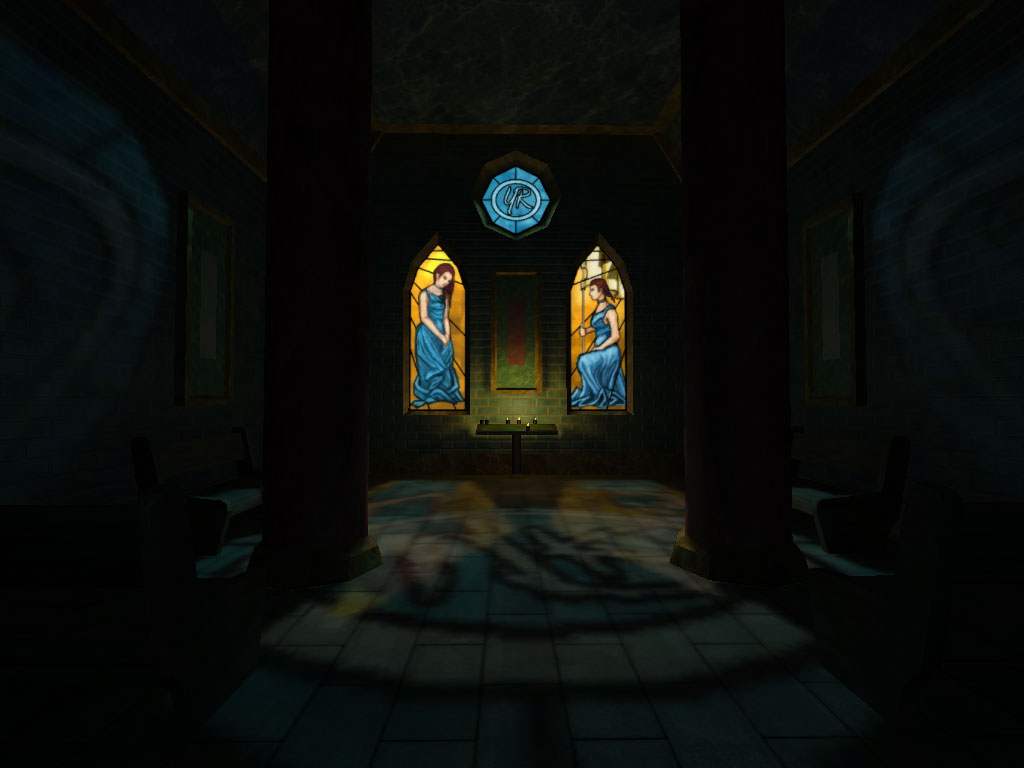
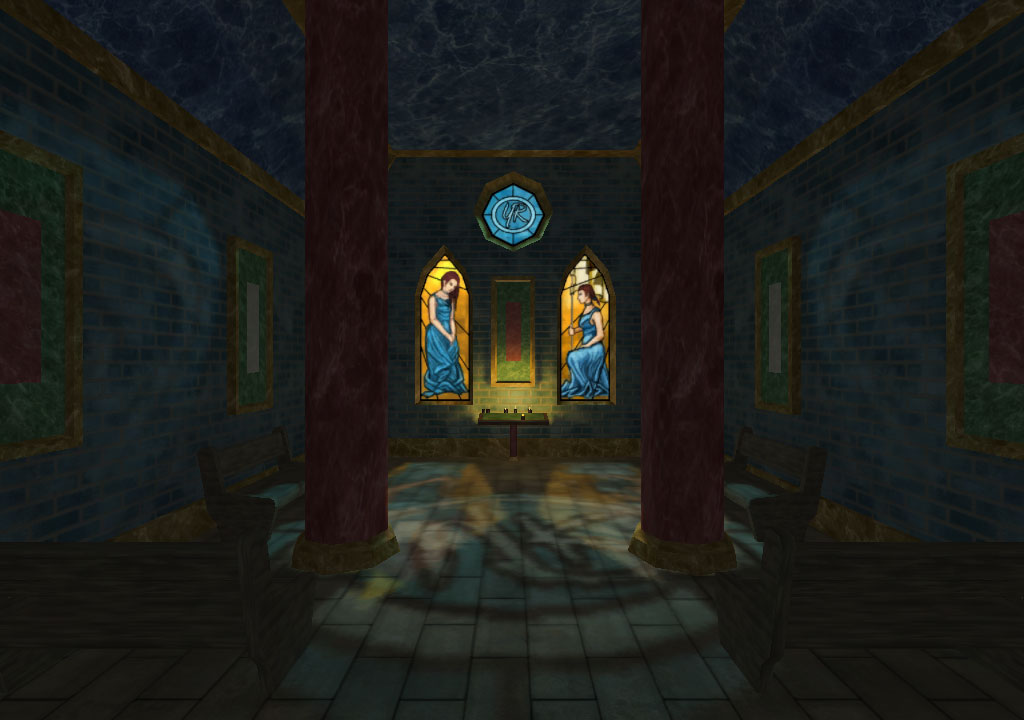
And what's more restful than a chapel of rest? As long as it's only a few seconds, or else it'll get annoying.

Once again, Huzzar for PureLight. Just 2 tonemaps and 3 meshes. Outside of the chapel is a straight unlightmapped mesh, with the interior and interior props, collected together as a Prefab (first prefab I've used, and boy do these thigns look useful!). And it's a fully enterable building too, so I can use it in-game as a prop as well.

Originally I'd used a realistic lighting technique for the tonemaps ... but thought it looked a bit dull, so I arty'd the whole thing up with shadow blockers and multiple spotlight through each window, casting varying degrees of light intensity around the interior.


Admittedly this screenie is a bit dark on the ambient ...


So here's another ...

Window on the left took me over nine thousand hours in MS Paint ... and the one on the right took my about 9 seconds after I remembered how to draw ... out of practise ...

Repawn/quit dialogue is still just a stock GUI, so I'll need to replace that with something completely custom, but all in all, I thought it was quite a nice touch.

Tuesday, 6 April 2010

Fluppin' Drawcalls and Forget How to Use Blender and PureLight

And an end to said fluppin' testing of Drawcalls. I was going to use fluffin' but after a quick check on the interwebz, it turns out "fluffer" has a rude conotation --- I mean, who would of thought it? So flup it is.

No pics. Just the facts, ma'am.

I had a quick test --- read that as far too much time --- ripping the whole drawcall/performance thing to bits and seeing what I could get it down to.

In previously mutterings on the whole performance thang I'd made it clear "why" I'd done things in a certain way previously, older tech, older hardware, a paranoia of >512px.

First off I amalgamated a few of 512 and few 256 non-tiling textures into larger 1024s. And drawcalls fell, fps went up by a bit.

I'd also extended the fixation with 512 to my lightmaps, splitting up meshes into ever smaller pieces to get the texture size down, so next up was to stitch all those meshes back together into larger ones to reduce instancing.

This meant realising that I'd forgot how to use pureLight ... and after a fair bit of jiggery-pokery, remembered that I had to delete the object in PL before replacing it if I'd changed materials or UVs (or it'd import with mixed by UVs), and if the mesh-object in Blender wasn't at 0 0 0 then the object/node it's parented to bloody had better be - even though that thing isn't getting exported - such as price to pay for using Open Source apps for these sorts of things. Oh, and collada doesn't do curvy and thus ase is needed. And ase needs materials and UVs, and collada sorts it's materials from it's UVs so time saver there ... as long as you don't want soft edges...

*note to self: write this stuff down on more than post-it notes sometime*

And finally, I took a look at what renders and what occludes. Previously I'd used zoning to split my corridor-crawler of a level into 3 main areas, and kept to the same principle with scripting, just dropping the zoning (though they might come back, at the moment there's a bit of an issue with portals at certain acute angles and things suddenly not rendering that should).

And so the up shot was this.

(GTS250 - Advanced Lighting @ 1024px without shadows / with shadows)
old drawcall average = 783 / 1076
new drawcall average = 410 /602

And the biggy - busy scene @ 1080p with everything maxed out
old drawcalls / minfps = 2295 / 57
new drawcalls / minfps = 869 / 80

So, as a total average of all my recordings, drawcalls were reduced by a third, and fps increased by a fifth. Which was nice...

In other news I saw ... well, heard some music I liked, and had to approach the guy on spec for commercial licensing (same chap I used on my lightmap video under CC). He appeared reasonable, so we'll see how that goes once this Easter break thing is out of the way.

Also, I redid my weapons with first person hands and reloading animations, and dug out an old (deactivated - don't call teh Fedz!) lever-action rifle for the metal scraping audio. At which point I discovered nearClip and the fact that it defaults to 10cm, which causes all kindsa hassle with camera penetration on aim-down-sight animations. If only I'd realized that before. I set it to 1cm and things are better. Still need to do a couple more bangsticks for my proposed demo, and so video of all of this later.

End of rambling stream of conciousness...

Sunday, 25 October 2009

Lights, Lightmaps, Levels, Lorries, Lying Down Animations

Grasping at straws for another "L" word in the title. Licensed Fraps could have been it.

Level geometry complete-ish, lit, lightmapped, populated with stuff.


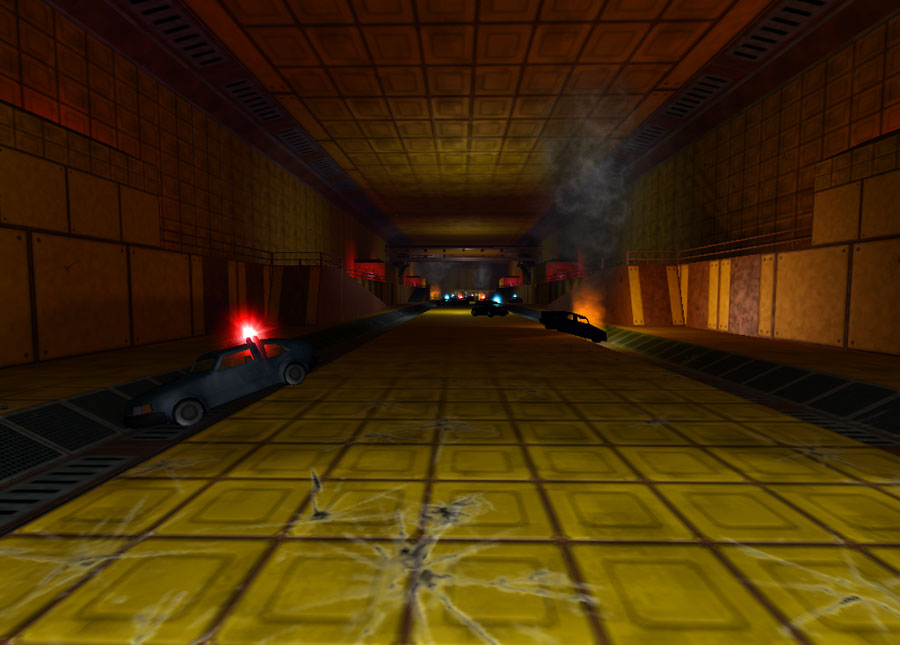
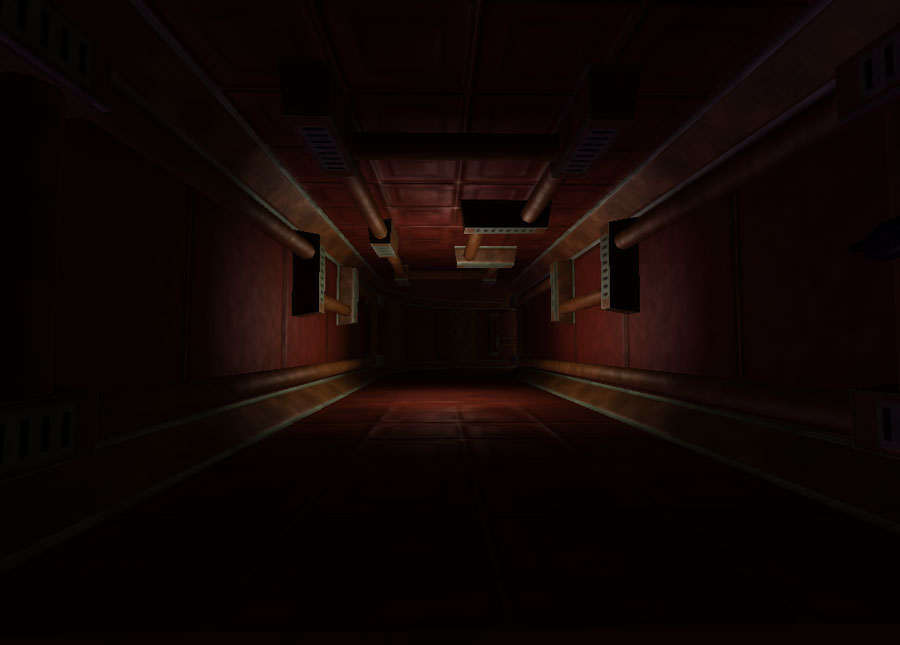
Stuff has mainly been pipes, lot of brass stuff lying around on walls and ceilings, to make the corridors look a little less bare. Various signs, some helpful with directions, some for comedy. I've also repolyed my cars and trucks, so that they look somewhat better but still stay away from overt realism. And I've got some simple flashing two-tones.


It was looking a bit clean, some damage decals took care of that

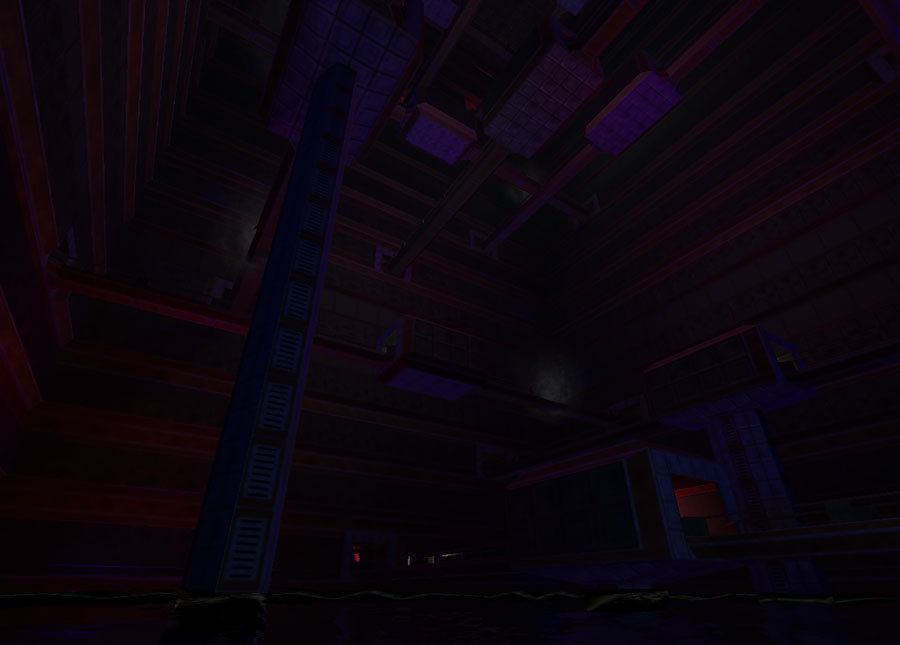
I'm a great believer in dog-legs and multiple height overlays in level design, giving the player the chance to see places that they want to go, have already been, alternative routes, and places which they can't get to but adds to the ambiance, illusion of immersion.


Multilevel Crossover Madness - with the opportunity to jump/fall through damaged railings onto other catwalks

There's two seperate routes through from the start and finish of roughly equal length, various chances to crossover and swap them by jumping, falling, not looking where you're going. Both routes are a mile long and come together for a final sequence, plenty of signposting to avoid running around endlessly in circles - because being frustratingly lost is not fun.


Lightmapping has been great, and the ability of pureLight to design everything at once in Blender and then export it in position -rather than lining it all up as I had previously in the world editor - allowed me to add more stuff, like pipes to the walls without having a nervous breakdown about placement.


Feeling decidedly unfit, I embarked on a masochistic hike over the roughest part of the Yorkshire Wolds, and only just made it back alive. I did however grab some nice reference pics of the area for future use, and the abandoned medieval village with ruined church at Warram Percy. linky


Ooooh, spooky

Having worked out how the particle editor functions for a bit of smoke and fire and with my intro levels geometry pretty set, I've turned my attention back to the gameplay, player models and AI. Crouch and prone animations have been done, and the necessary changes to the code implemented to get them to work and also to get the side/back animations for swimming. Still a few things require sorting out, rebuilding of the joints to deform better, some decent arms and hands, etc.

And needless to say the weapons also need a bit of an overhaul. Not just with a few extra polys here and there but also some scripting to get them to work via magazines rather than just an ammunition pool. Save that they're fairly done though.


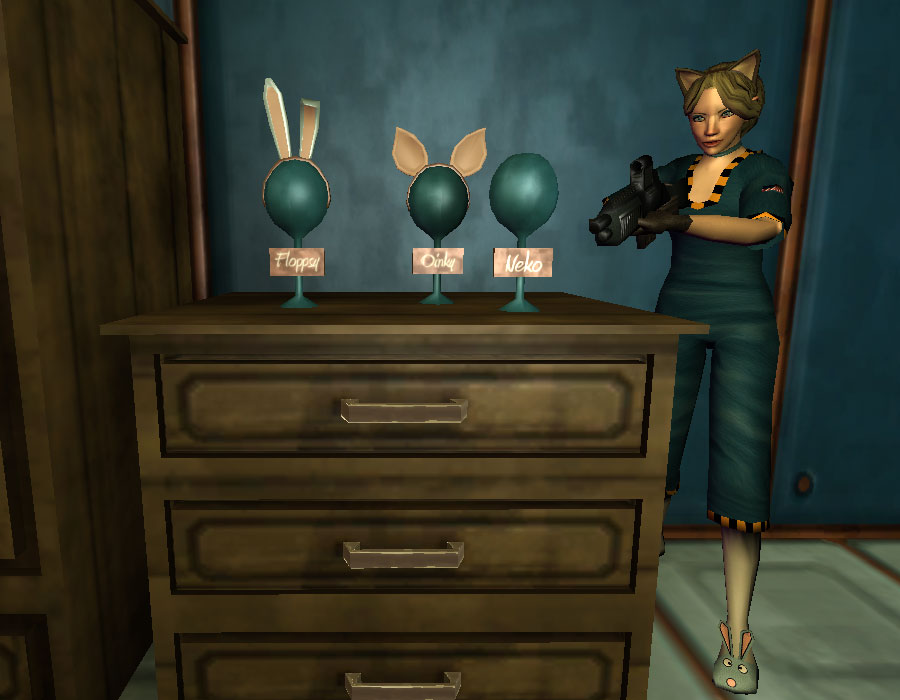
Choice of comedy hairbands

And to the AI. I've got some pathfinding crammed in, and it seems to work fine, regardless of the day I spent trying to destroy it by getting the wrong end of the stick. So my AI will need a bit of an overhaul too from their ancient origins back when I made my first demo in TGE some 16 months ago. No doubt this will take a bit of brain work, and it'd be useful to have a look in the code and see what controls the stances available to the AI, so that I could script a doPose(crouch); function and the like. It'd be nice to force the AI to hit the dirt when they're getting shot at, rather than constantly crawling around in a scary way as they default to the prone stance for reasons only known to themselves.


Trapdoors never have enough amusing warning signs on them

And after all of that it's scripting actual in-game play. And sort out a gui, mission progression, bits inbetween, a savegame() function, a ton of other things, and a new demo. Don't hold your breath on the last one ...

Did I mention lightmapping? And licensing FRAPS - no more 30 second vids with a watermark then.


A quick run around in Advanced Lighting as a test. 44 seconds.
Link for HD


And an abbreviated run through in Basic Lighting - no spec, no normals, just a crappy PC. 8.28 minutes.
Link for HD

And this brings me to something else - moozik. It ain't the sort of thing I can do myself, so I've been spending lots of time listening to licenseable royalty free tracks, mostly from sites that I've seen linked in blogs here. Looped twice to fit the length of my vid is "Time" by Milkman-Dan, here used with newgrounds.com non-commercial/share/attribute license. I also noticed that he's listed on AudioJungle.net for licensing.

Tuesday, 15 September 2009

No Deer For A Month

Homer: "You got it, no deer for a month"
Marge: "Did you say beer or deer?"

No blog for a month, August passed by unblogged. So this is megablog ... or not, as the case may be. But there is stuff and quite a bit of it.

Also no Swiss Toni this time ... or ... ever ... again.

I'd made a whole load of stuff, props and the such. And then gone back and resorted my original ultra-low poly car because all my newer stuff really made the very old models look bloody awful, so I need to bring a few of the older stuff up to scratch so it doesn't look out of kilter. Whilst I was at it, I stuck a little scripted flashing blues and twos in there, so the emergency lights loop a consecutive red to blue on. For dramatic exaggeration I slapped a "corona" on to the flashes, just a few intersecting planes of translucent texture. Though it makes a rather nice effect. The models now also have glass and an interior.


New motors ... still lowpoly, with a base texture for the body until I do something more

I'd set about populating my initial huge level with various new stuff, as well as blocking in the portals and zones, and then testing various versions/sizes/numbers of zoning. I'd also thrown a huge load of triggers out, controlling simgrouped lights for each area, turning them on/off as required with the player's progression/backtracking, and this saved a great amount of fps. Not having submeshes rendering when out of view would do the same, and I know there has been some talk amongst the devs on this, but in the meantime this proved a good performance boosting workaround.

The stuff is your standard low-poly sofa, bed, piping, consoles, wardrobes, toilets, showers, etc. As well as a host of monitors, some with helpful information like directions, and some with various scripted flashing messages using hidemesh rather than ifl. Also thought a bit more about player related gameplay, and decided to go old school, so no recharging health and you'll be able to carry 20 ridiculously large BFGs. However none recharging health means medkits, and I don't really fancy have tonnes of them lying around. There are plenty of games which have a finite amount of these things, meaning if you're not doing well, you can soon run out of supplies in the game world, making completion of a dangerous task impossible due to low health.


Aidstation with clear and amusing instructions - in Advanced and Basic Lighting

So I came up with the cunning plan to have AidStations dotted about my game world. A bit like HL2 does, but with infinite reuses - only it takes them 60 seconds to recharge. Fine if you're hurt and have to run back/forwards away from the danger to get healed, but rather more tense if you're being chased by a big beastie and are trying to avoid getting hit whilst the timer ticks down to recharge. I'd had a look at how the "heal" function in stock T3D worked, and it's really more of an incremental health increase, I fancied something a bit fast and made a simple setdamagelevel call during onCollision. Run into an AidStation when wounded and get up to 60 health back, the blue button turns amber and depresses, the AidStation is unuseable for 60 seconds. Plus it's got the instructions written on it, so the player will understand what is going on in-game even though they didn't read the readme.txt manual.


So, I'd pretty much populated my initial level, when pureLight gets released, which makes sticking stuff in a whole lot easier, and also makes Basic Lighting so much nicer. Not that we were going to buy it initially, T3D was this years' major purchase, and I'd set the rest of my cash aside to pursue the great British crusade of trying to kill myself with booze. But after trying the demo - and working through Blender's exporting issues - I was pretty damn impressed.

Hence no deer for a month ... or probably longer. Having said that we haven't got off to an auspicious start and there was much deer last week due to the English soccer team qualifying for next year's World Cup.


But we have got off to an auspicious start with pureLight, which is pureWin.

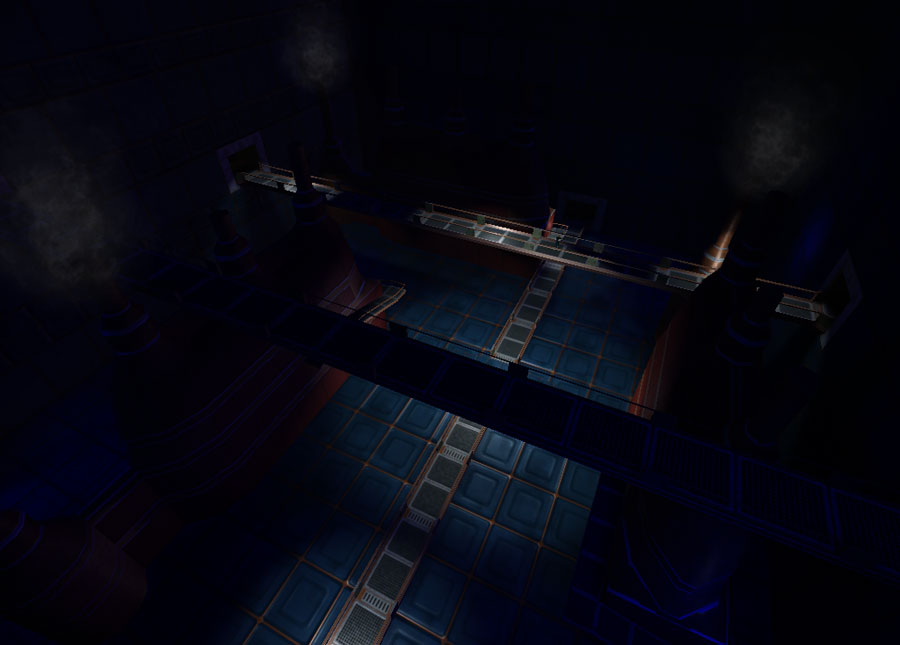
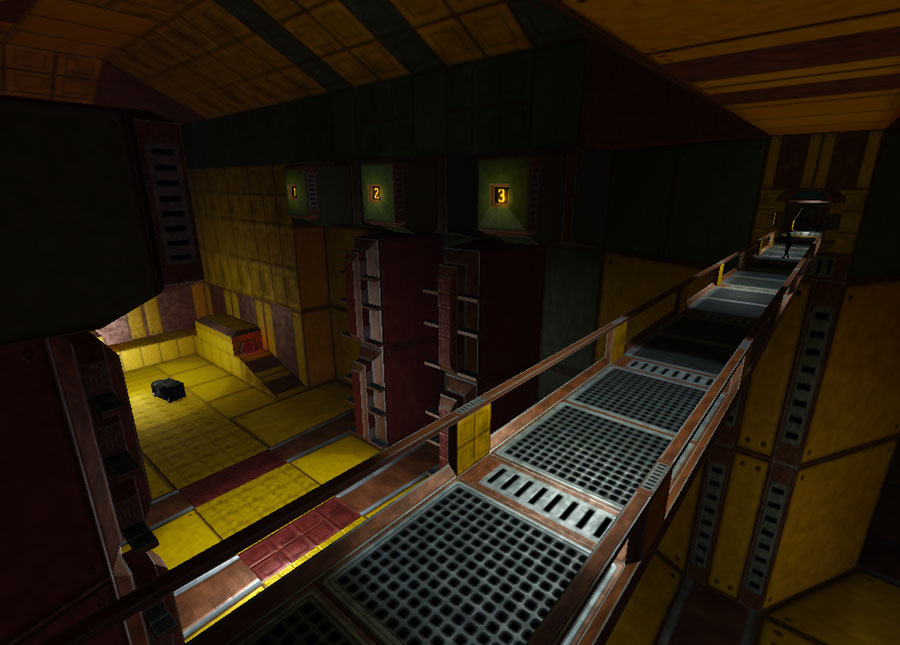
Basic Lighting with toneMaps now looks just like Advanced Lighting minus spec/normals, which is pretty damn excellent. To dip my toe, I have exported the first area of my big level, filled it out in Blender, minus any dynamic objects such as flashing screens etc which aren't in the screenshots - though I have placed the occaissonal amber or blue ambient glow on the lightmaps to show where they're going.

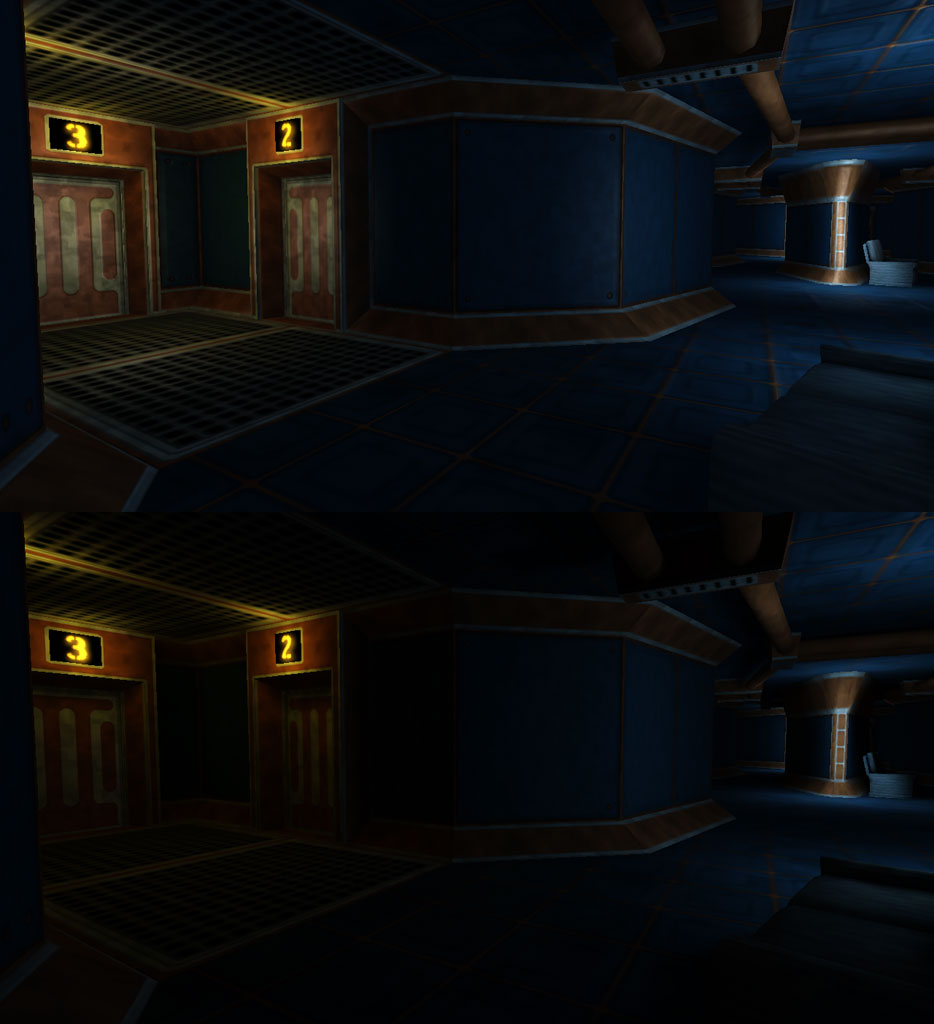
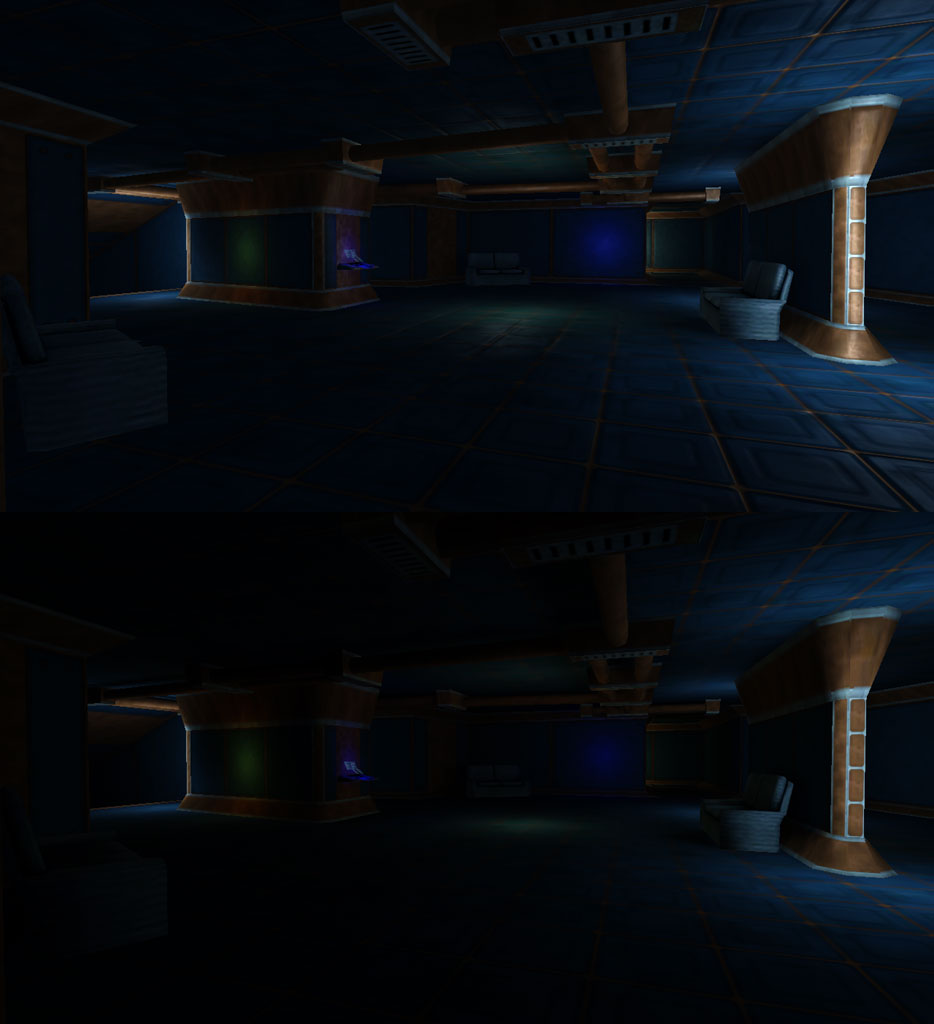
So the key for the screenshots is Advanced Lighting as the top image with Basic Lighting underneath. I divided the scene into just a few meshes, props/ablusions (all down one end for culling), props/area1 (almost everything which isn't wall/floor), props/bedroom (key point, requires extra stuff), emissive matierals (glowing numbers), translucent double sided materials (scrolling, floating console screens), and the main area geometry (everything you walk around on).


Then I slapped in a few lights, mimicking the illumination in the lightmaps, but also in Advanced Lighting it gets teh specular and normal maps to work. And it's this extra specular effect which makes the Advanced Lighting screenies look more 3D with the normals, and also a little brighter than the Basic Lighting, which is just using the lightmaps for geometry illumination. Of course anything without a lightmap (dynamic object like the player), still get the pointlights of the game engine shining on to them to provide illumination.


The ability to export an entire scene from Blender and have it arrive in the same XYZ in T3D with lightmaps is fantastic, no more messing around trying to line things up in the editor, no more worry about an absence of shadows, and objects looking too stuck on one another. I'm hardly going for realisim, but the painterly lighting effect that pureLight gives are opposingly subtle, dramatic and artistic.

It was also nice of the guys at PL to send me a better ASE plugin for Blender. I haven't had time to see what difference the newest PL version has with the Blender's terrible attempts to manage the Collada format, but hopefully Blender2.5 will address some of these.