Showing posts with label tutorial. Show all posts

Wednesday, 31 July 2019

Relearning Everything I Did Not Know About Blender3D

Whilst I wistfully gaze at my still unopened Tax Return, with it's passive-aggressive "PLEASE OPEN IMMEDIATELY" and not so passively aggressive bright red stamp of "31ST OCTOBER IS THE PAPER FILING DEADLINE", my mind turns back to the problems of character modelling, drifting past the bottle of SA Chenin Blanc, into the mysteries of rigging shoulders correctly so they don't deform into some sort of monstrous mockery of Quasimodo, and other general 3D shenanigans.

 Me, trying to get a mesh friendly to weight painting ...

Now I have done all of this before - in very low poly - on the version of Blender3D which I am used to using. That version is 2.44 which came with it's own custom plugin for the DYNAMIX THREE SPACE file format exporter 0.964. You remember Dynamix? They were that video game company founded in 1984. They made Rise Of The Dragon in 1990, a futuristic detective, adventure game which ripped off Bladerunner and I never understood what the hell I was supposed to be doing whilst playing it ...

Anyway, that version of Blender3D dates back to around 2007, which is at least 100 years ago... so there's probably been some improvements and changes since then. And it turns out there has been. In fact I already knew that there had been as I've been tentatively using version 2.78c for a while, ever since they created the normal editing modifier to stop foliage and especially grass, from looking like complete shizen.
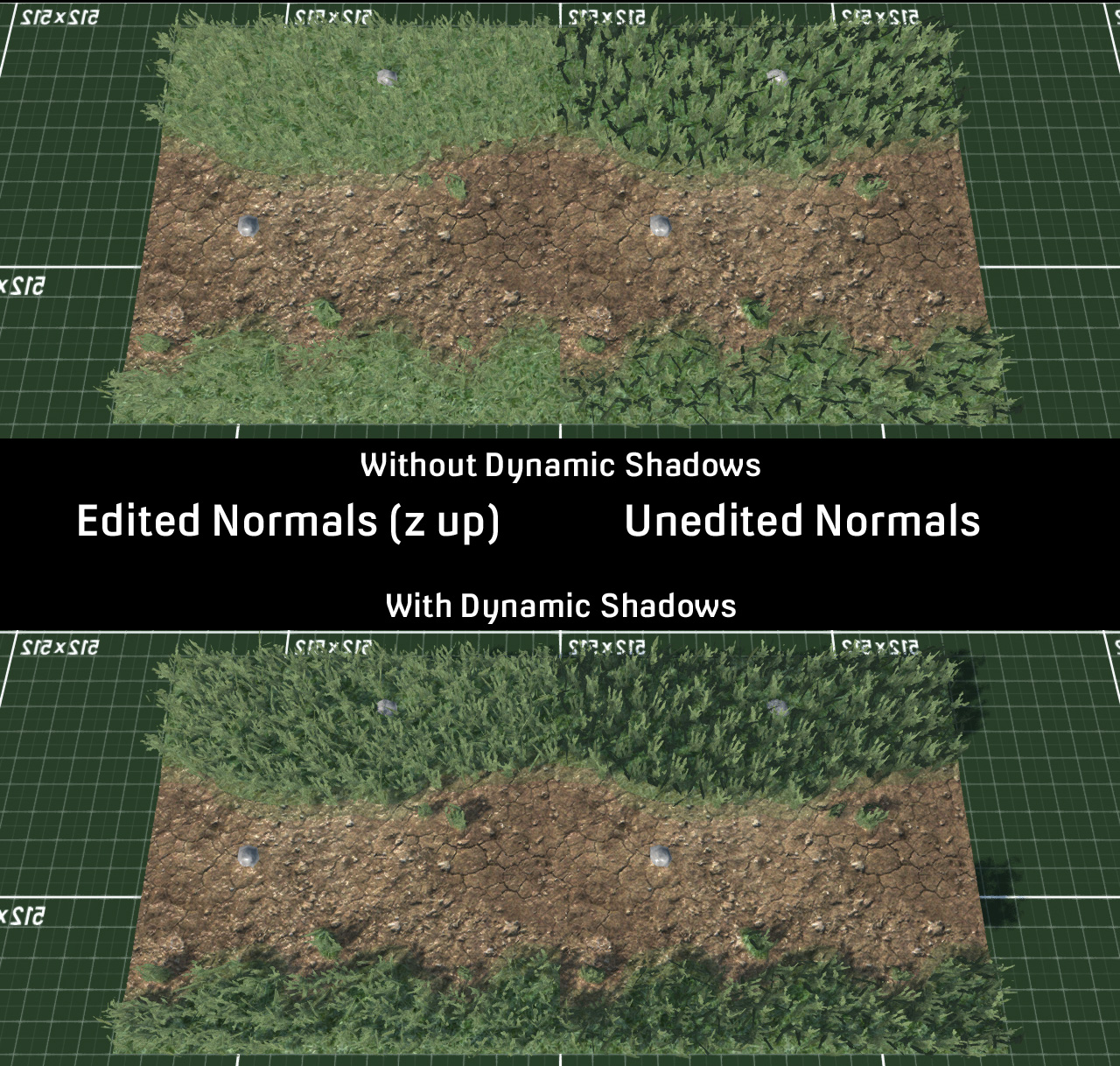
Turns out it was February 2016 and still no finished game fml ...

So first up, how do I into character modelling? I can not even into character modelling!

Hello makeHuman! makeHuman is a 3D character/human body generator which I played with years ago and never got back to. However it has one important thing going for it - it exports with a various skeletal armatures and comes pre-weight painted for bones nodes.

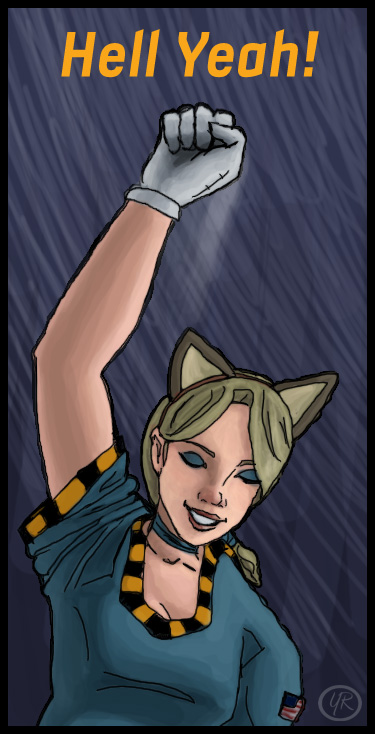
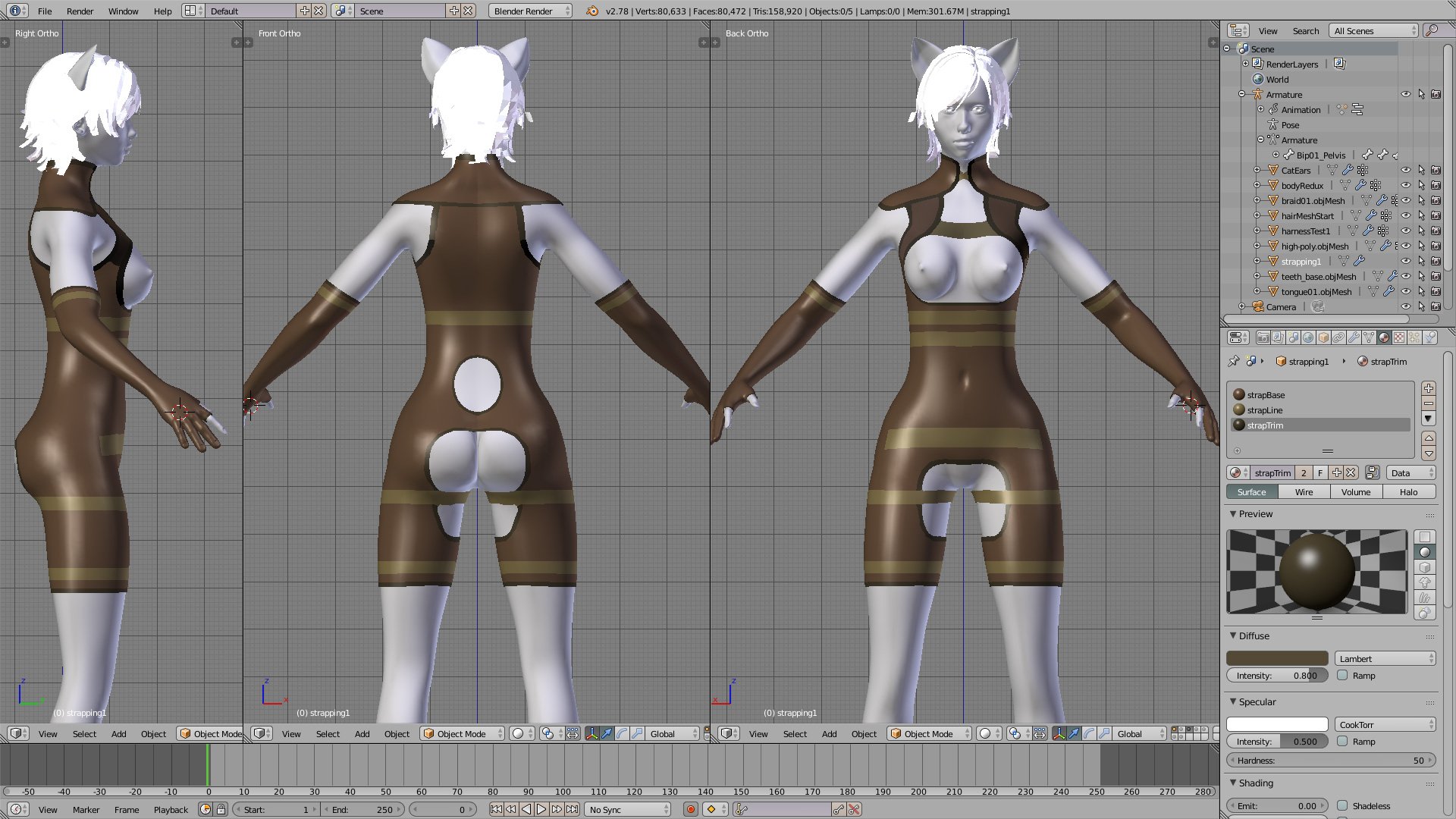
After quite a bit of fiddling around, I had previously managed to make a fairly accurate rendition of Toobz in makeHuman (though the fatassed robut needed more ass fattening and the legs slider was never going to be long enough) (and I added extra oppai) and exported it into Blender3D with a rigged skeleton and then slapped some cat ears on it.

makeHuman created a near perfect replica of Nier: Automata's 2B but the butt slider maxed out ...

So next up ... I need said model with cat ears slapping into a harness which would ultimately be attached to some sort of steampunk propeller pack. Cue searching for tutorial videos on all the other changes to Blender3D's modifiers. One of these I have already found out by testing - is that the decimate modifier, which turns your overly high poly mesh into something more video game and Level Of Detail (LOD) distance friendly, now keeps the weight painting data for bones in the armature. Ye olde 2.44 version used to just kill the vertex information, leaving you with an unanimatable (that's not a word is it?) model, so I used to have to do my LODs for Airship Dragoon by hand/eye manually ... which was a real pain in the Shizener. So this improvement was another major reason to finally upgrade to a newer version of Blender3D.
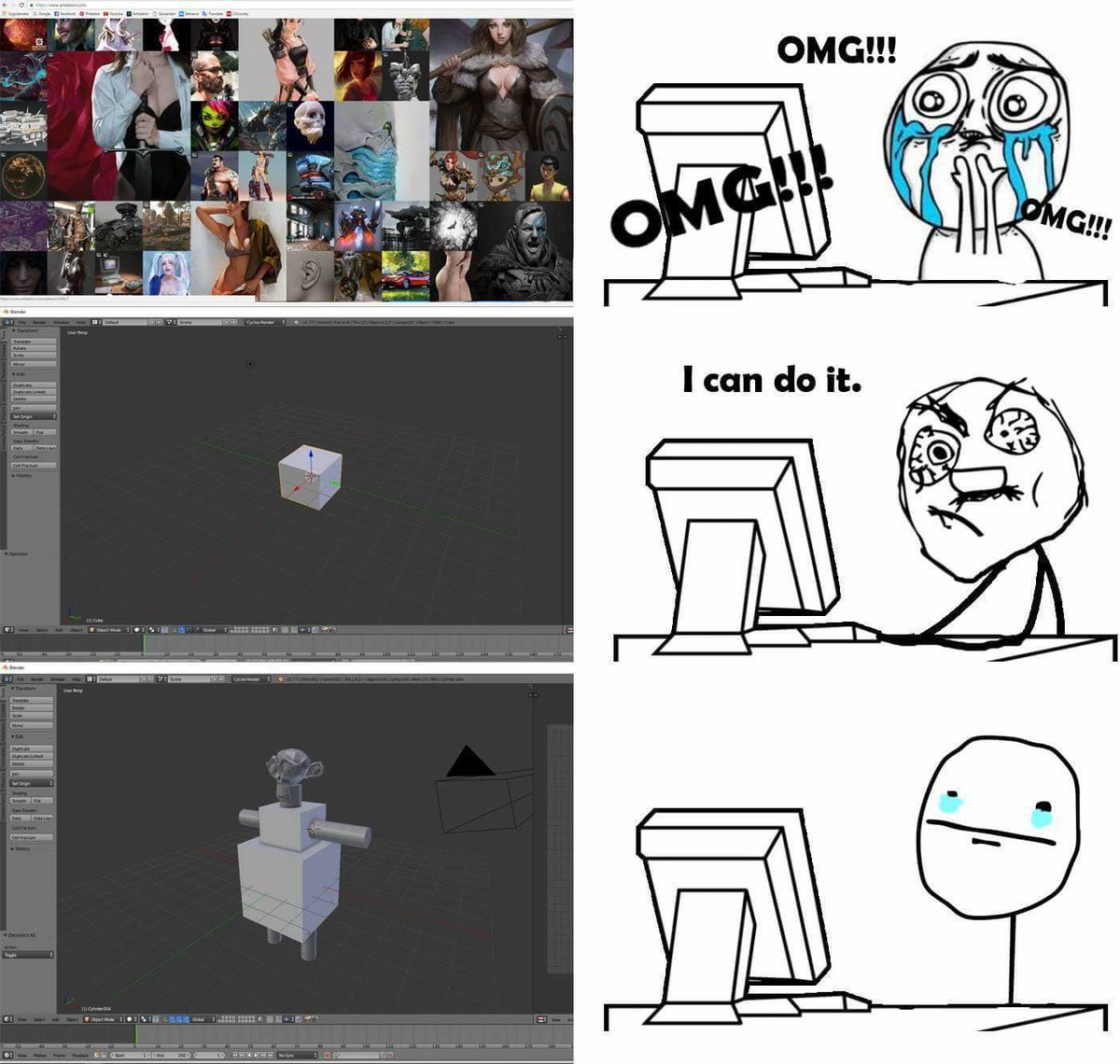
 How character modelling usually turns out without using a proven work flow ...

The model I have been working with is somewhat overly high-poly for in-game. It is also overly rigged, with many bones that I do not require for gameplay. However I am hoping to do a few high poly "cut scenes", so I am currently concentrating on making an intermediate model I can both "poly up and down" later as needs be.

So, this harness then ... I mooched around the internet (as usually but this time trying to be useful) and found a load of video tutorials from 2011 about making a static character model - which is still a lot newer than my 2007 knowledge. And it had this amazing thing called the "shrink wrap modifier"!. Basically I make clothing too big, and then "shrink to fit". And it works pretty good.
Shrink to fit, just like that baggy T-Shirt and a hot bucket of water

So that wasn't too bad, I made horribly baggy mesh around the model for tight fitting clothing, and got it to reduce to the model's topography with an offset with the push of a button (after much experimenting). Next up was building various straps over the new harness mesh manually.
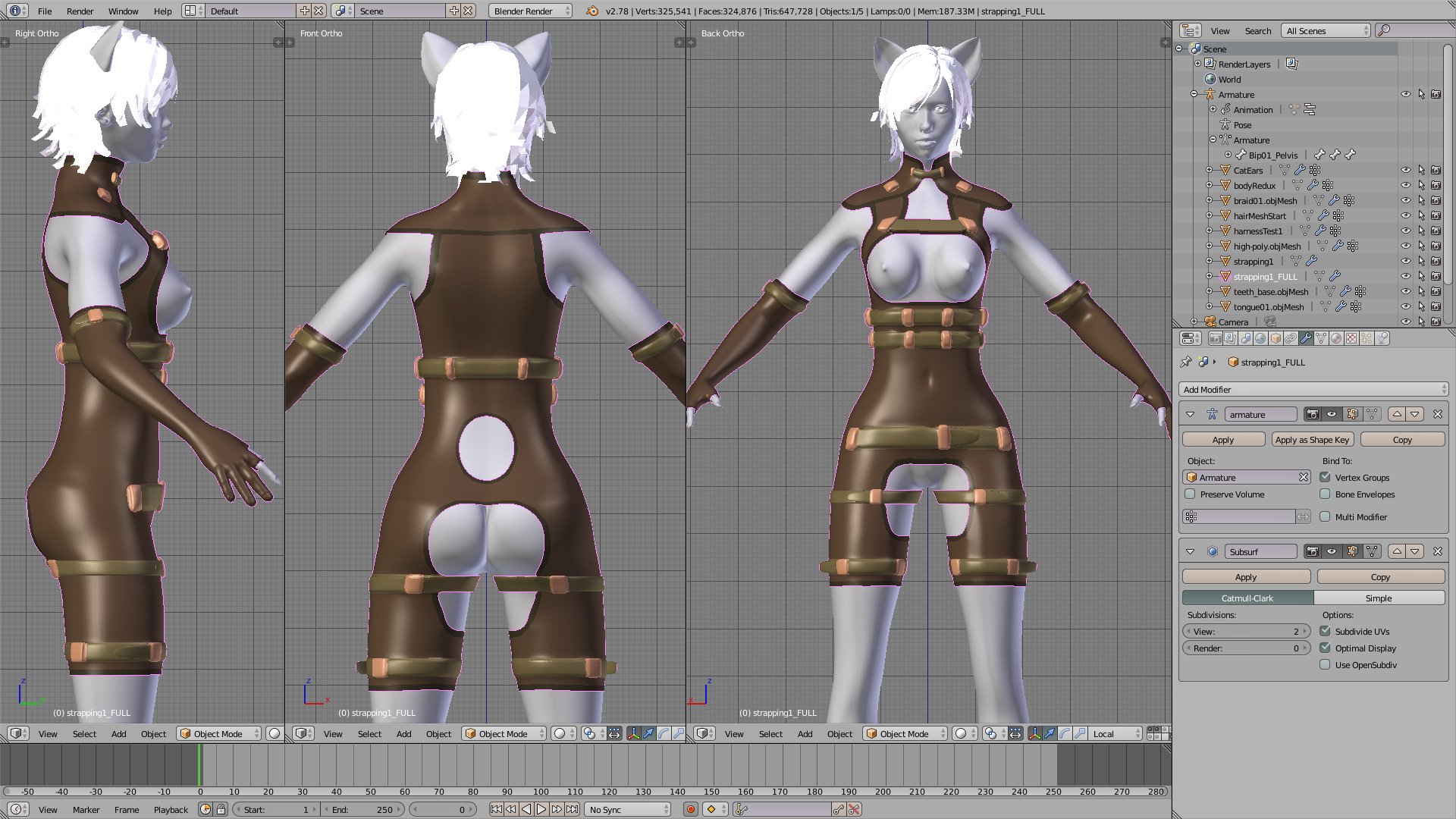
Extra strappiness to stop overly excited catgirls from falling out

And this is when I hit (another problem). I had previously been using the mirror modifier so I only needed to create half the harness, then apply it and shrink wrap. But now I noticed that the buckles/clasps above the waist were not perfectly symmetrical. makeHuman exported the pose with a slight kink in the spine, so everything above the waist is slightly to one side. Straightening the pose manually was easy enough in Blender3D, but it didn't make the mesh perfectly straight, and it was still off. Note to self; check this sort of thing before you start working on it.

Bravely/stubbornly/being past caring* (delete as applicable) I continued, ad libbing (which turns out to be 2 words) as I went and continued. Now the whole idea of the character is that they ski around the level with a propeller driven backpack - hence the strappy harness. The rotors/propellers themselves are going to be flat, animated textures - so that saves some polygons and drawcalls.
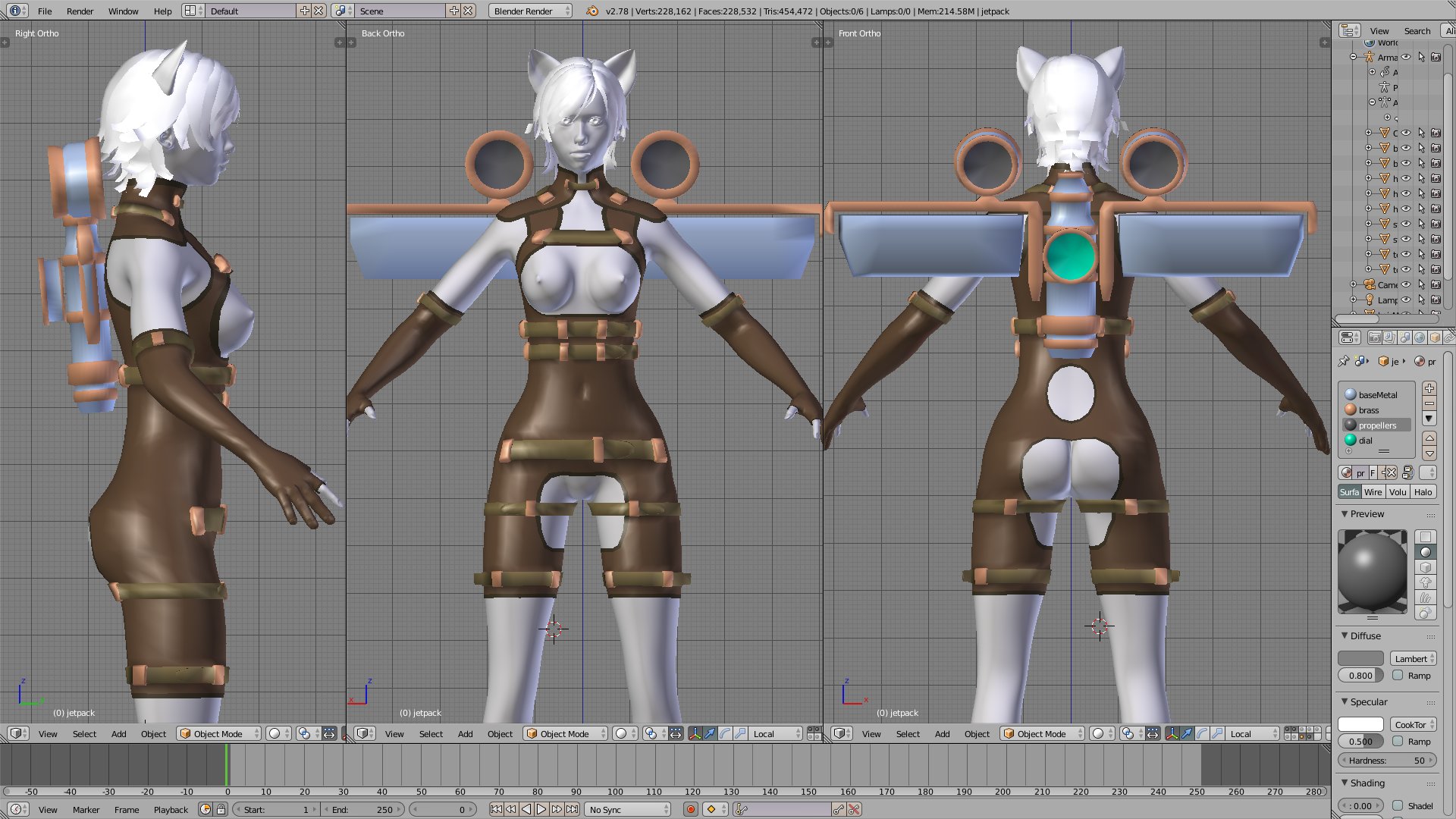
Propeller area in dark grey, green is a gauge

 Next up I needed some sort of under clothing, rather like a skin suit or leotard or boobtube (which was a thing in the 1980s). I attempted some sort of vague modelling by hand/eye co-ordination, which is not that great at the best of times, and then went off to find some more video tutorials on Blender3D to see if they would help. This is when I discovered physics. Now I studied physics at school, by which I meant the teacher didn't care if anyone learnt anything or not as he got paid all the same, and thus let me sleep in class (this was the 1980s, the greatest decade in history). I got an E grade which was surprisingly better than I thought I would get for doing nothing.

Anyway, back to the physics inside Blender3D. With a bit of jiggery-pokery it can be used to create clothing that falls into place with gravity (note: T-pose is best for this or it slips down the arms and falls off). I made a whole series of tests, but only screenshotted the final result. This was a bit "flappy" so I ended up tying down the bottom manually. This looked rubbish, so I ended up extending the character mesh out to meet the material which didn't look so great either so I ended up faffing until I had some sort of boobtube, carved a few dints into the middle and called it quits.
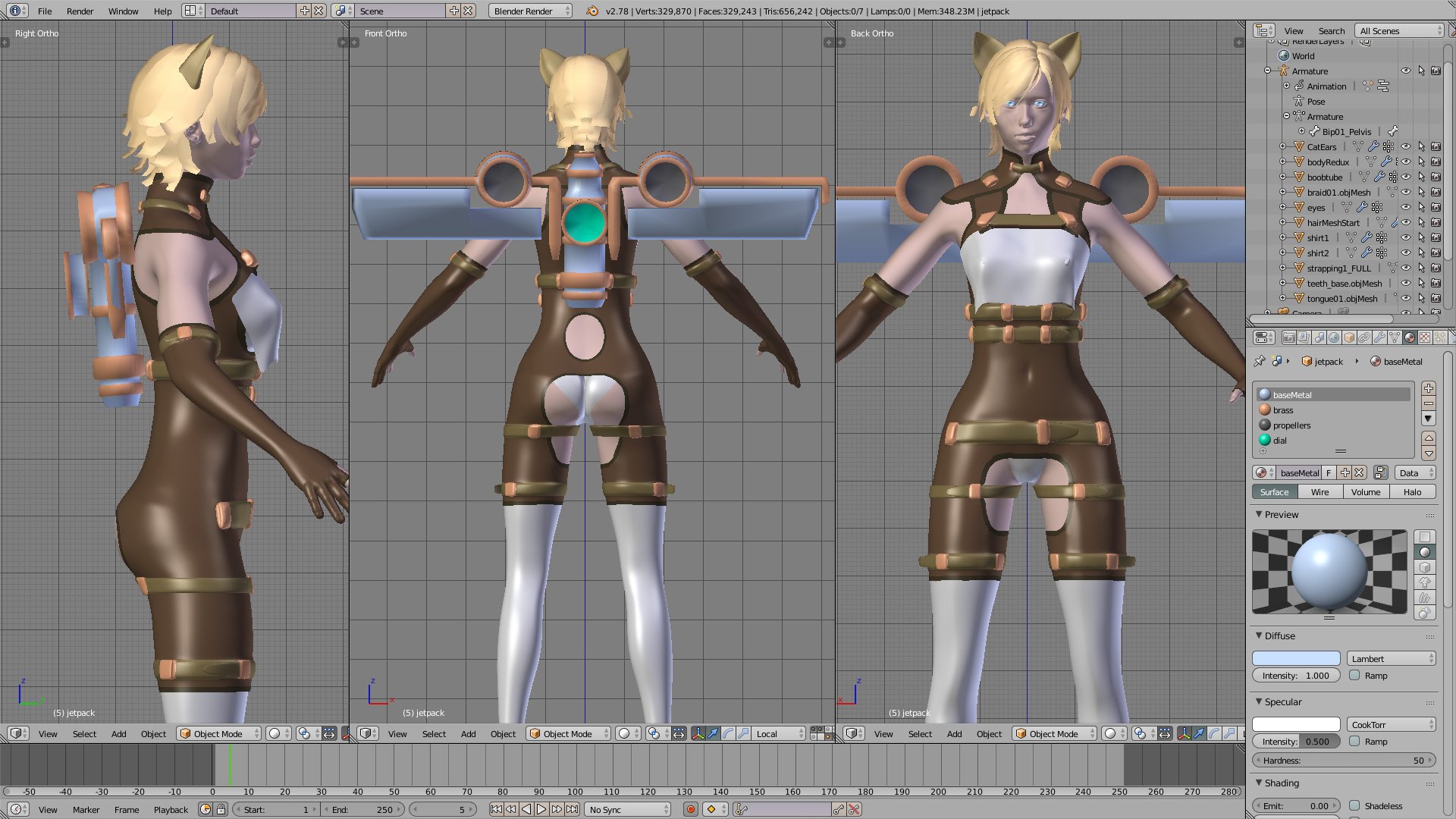
Physics in action! Meaning the one physic of gravity

By this time I had decided I did not like the propeller casings being so high and had dropped them into the mainframe of the jetpack - or should that be proppack?

And now to merge the two meshes into one - whilst also deleting all geometry hidden behind the harness in one fell swoop! First up duplicate the original character model, because if everything goes horribly wrong we might need the original again later (wise, wise words). I sealed all the open sections of the harness, thus cutting into the character model and then used the boolean modifier (named after George Boole, tricorn hats off to you, sir) to remove all the unnecessary bits of character mesh that was hiding behind the brown harness mesh.

This created abject chaos.

Firstly, it severs straight through the target mesh, which is exactly what you want ... kind of. It creates F-Gons (a plane with more than 4 vertices)- which are nasty planes surrounded in loose vertexes everywhere. Hunting all of these down to manually fix them to the edge of the source mesh is a nightmare. And it will have to be manually, because the automated remove doubles is distance based and will just eat up random geometry. Secondly the target mesh seals itself where it's cut, creating lots more elongated planes which have to be deleted. After much faffing around with the first problem I decided to try a different tack.

I selected all the visible planes of the source model around the harness and deleted the rest. Merging both objects I manually merged vertices when close enough and built new planes so elsewhere so the source mesh and harness mesh became one. Whilst this was somewhat labour intensive, it was easier and faster than dealing with over nine thousand F-Gons.

So, finally I have a single mesh, at least of the character body and the harness. Next up, data transfer to get the original makeHuman bone weights into my new Frankenmodel. Playing around with the system I found that using "Nearest Face Interpolated" filled out the weight painting to the entire model, whilst some of the others left the buckles of the straps unfilled with weight data.
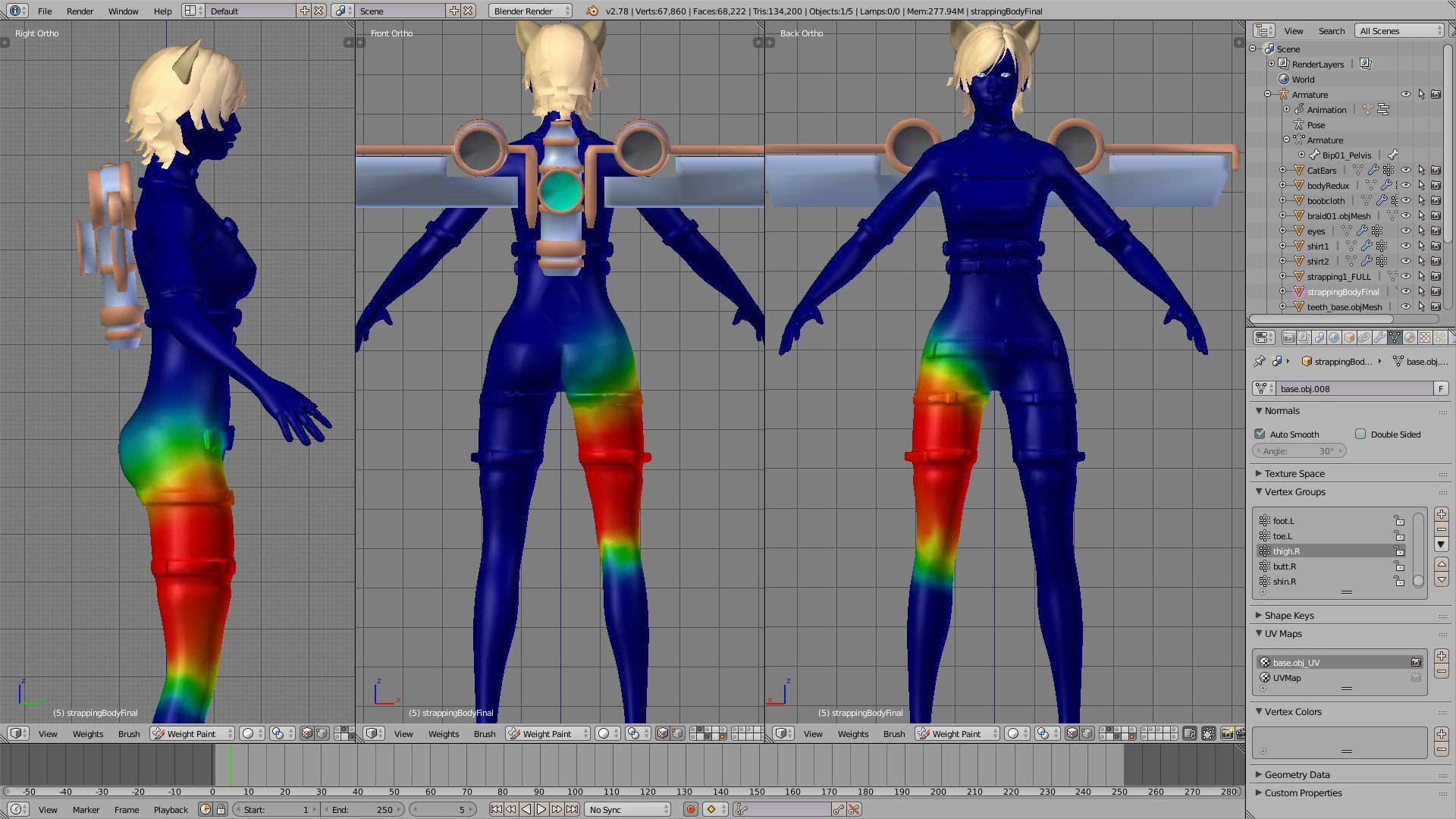
Great success! Glad I didn't have to do that manually!

So, that's about it for this month. We had a heatwave and I got a great tan. Next up, hair, because what I have been using in all of these pictures is a placeholder, and then to start on UV mapping and textures. I also need to rig that backpack.

There is a new version of Blender3D out, it's 2.80! As it's taken me ~15 years to upgrade to 2.78c ... I might wait a bit ...

Tuesday, 8 October 2013

Valkyria Chronicles Style Action-Tactics Template For Open Source Torque3D MIT

Valkyria Chronicles style Action-Tactics gametype template for the Open Sourced Torque3D game engine licensed under the MIT license - which means that you can do anything you like with it. I was going to put the word REDUX in the title but didn't have enough space.


This is the REDUXed version of the series of Valkyria Chronilces style action-tactics resources on the GarageGames site I created way back in the distant past when dinosaurs ruled the earth ... or around two and half years ago, before I started work on Airship Dragoon.

Going over that old code revealed some ... odd decisions ... completely unnecessary server and client calls ... and various other things which existed before I had learnt the meaning of best practise. Whilst there have been significant improvements, the Action-Tactics template is still very much derived from that.


And the source code is all here on github.
https://github.com/SteveYorkshire/Torque3D/tree/ActionTactics

However if you just want to play through a precompiled demonstration mission without the source code - the script files are all there so you can still see how it all works - you can download it here.
http://www.yorkshirerifles.com/downloads/ActionTactics_Template.zip ~110MB
It's a zip, so remember to right click and "unblock" due to M$ silly non-informing security measures.

And here is what the whole demonstration mission looks like when played through. Looks best in HD but you already knew that.


Saturday, 14 May 2011

Move Rock - Circumnavigate Rock - Go Off On Tangent

Those pesky rocks eh? We all have our rock ... some of these rocks might even be real rocks ... but for most of us it's a metaphycisal rock ... or at least it's not real anyhow.

Okay ... enough about rocks, real or imaginery.

Game development is a bit like a Japanese RPG - everyone is slightly squashed and absurdly cute ... no wait ... that's not right! There's a lot of GRINDING and leveling up can get to be a real pain in the derriere. Everyone gets burned out after a while, especially when your on an "all hours the Great Magnet sends" routine.


It's even worse if you're making an MMO!

So rather than spend ALL week down the pub or ALL my time reading mildly interesting but mostly inane Wikipedia articles about what someone I've never heard of was rumoured to have done on a particular date in the 17th Century, I decided to have a look at the RTSprotoype information in the stock documentation and see how the camera system and screen-to-terrain input worked - two things which I didn't know anything about.

And from there I decided to build another Tutorial series, detailing how to create a 3rd person, turnbased, squad tactics/action hybrid gametype which follows the gameplay style of "Valkyria Chronicles" ... which I've never actually played, but have watched the whole game streamed. Originally I was thinking of writing a Tutorial for full turnbased tactical game but thought that Valkyira Chronicles" mix of turns and action was quite novel.

The whole tutorial is complete in theGarageGames Resources Section here and also in the T3D Tutorials Section of TDN.

And here's a video of what it looks like:


So, the next time you hear somebody say that :

Torque can only make Tribes style FPS games

Link them with that.


Oh hi, Catchick ... who still doesn't have a real name and maybe will always be known by what a certain Mr.Kiss first refered to her as ...

... so back to getting this demo out ... which I could've finished a month ago if I hadn't been looking for something else to do instead ... cue pub and wikipedia. The demo itself is nearly finished, it's "that close" - but you cannot see me holding my thumb and finger a little way apart to demonstrate, so you'll have to take my word that it's about four inches or ten centimeters in new money. And the demo is going to get finished and then released.

It's been a long time and a shed load of work involving a shed load of assets, but that's kinda what a FPS narrative campaign is about, and because of this I've also been thinking of "procedural content" more. In my GarageGames profile it reads:

One Bloke ... In His Bedroom ... Trying To Make Computer Games ... eventually ...


... Trying To Make Computer Games ... eventually ... was kinda in there as a joke about how long it takes to actually complete anything, but someday I'd like to edit it to read ... Making Computer Games. So to that aim, post next demo release, FPS project is going on the back burner, and an old skool (I hate that phrase!) turnbased, tactics game featuring an entirely procedurally driven campaign system will come to the fore with the intention of shipping before the year is out - in other words, six months. I did previously moot the idea in a previous blog about an X-Com style game idea I had, and my recent "Valkyria Chronicles" style game Tutorial gave a rough proof of concept for the combat/gameplay control system.


It'll still be massive - I just won't have to script every single fart an Ai makes ... but first, finish off Dubious Demo 2.1, cos this time, it's got the start of a Narrative Campaign ..

Thursday, 17 February 2011

Creates Tutorials, Conquers Resources and TDN, Slays localClientConnection Hax

I use the Torque 3D indy game engine, and to be honest it always had a rather steep learning curve. The site is a mine of 10 years of coding and scripting information ... but rather disjointed and scattered, so I decided to make a tutorial on creating a simple, single player first person shooter game to help ease the initial bewilderment. It's the "Simple FPS Tutorial".

On the Gargegames/Torque3D Indy Game Engine Site, my profile's "submitted resources" count has increased hugely. Admittedly the sheer scale of this expansion ended up being driven by the character and word count associated with the blogs/resources rather than my own quest to fill an entire page and bit of the resources section with my own graven image.

Resource word count had shrunk somewhat, no doubt down to the new servers and general on-going web flux and reorganization that came about with sinking of IA and the rising of GG. Plus the return of the "backslashes eating posting bug".

So an inititally planned three part series, which was then extended to a four part series, in the end became a twelve part series with a considerable amount of waffle stripped out, ending up being a "just the facts, ma'am" set of 12 tutorials that answer some of the most repeated questions posed by scum-sucking, whining, noobs ...

... er ... I mean ...

... valued and respected newcomers to the GarageGames and Torque Community.

So, by the time it takes to publish 4 or 5 Penny Arcades - which is about my last remaining tenuous grip on the actual concept of measurable lengths of time - all parts were written, tested, tweaked, refused uploading, seperated into more parts, tweaked, tested and forced down a copper wire. And then converted into a rather dodgy pdf format (having not done that before) using some open source stuff I found lurking around the net, before finally shoving it into the newly created T3D tutorials section of TDN ... which I also had no idea how to do, and made a right mess of Ronny's formating in the Tuts section until he fixed it.

And so, it is done ...


mfw ... minus the ears ... and boobs obviously ... and good teeth, I'm British ...


It's a step by step tutorial covering what is required to make a simple single player FPS:


Starting a New Project (also covered in docs but I wanted to start the beginning at the very beginning)
Creating the game area for the level
Making Custom Weapons (Art and Script) files for semi-automatic and full-automatic weapons
Having both weapons share a common file for particle effects and audio
Making a custom Player
Making a custom gametype
Making a custom Ai and associated simplistic combat scripts <---- often asked question by scumsucking n00- community newcomers. Previously the answer was both esoteric and hidden in forums/TDN.
Using paths for the custom Ai
Scripting gameplay <---- triggers FTW!
Creating a cool explosion in-game <---- games love explosions!


In the end, only three files are ever edited by the user (datablockExec, scriptExec, default.bind), all others are custom created from scratch ... so there is no overwriting of stock data.

Anyhow, the stock response to new forum posts asking about any of the above should now be:
TDN is your friend


Obviously I had to bang this "Simple FPS Tutorial (single player)" out as fast as possible, especially after what Renee had been threatening to unleash upon the world. Simple FPS Tutorial would have appeared to possess a puny manhood post release of such a monster. So first blood to Steve.


Steve Pictured After Final Tutorial Upload

And the pdfs (with the accompanying custom files for reference) are availabe on eb's Unofficial Torque Community Upload System.

Phew!

So with that done and dusted, and basking in the warm glow of my supernova'd ego, it's time to return to my own project, originally codenamed "Badger of Doom" but possibly about to be renamed "Steve's Folly".

"Steve's Badger" ... no, let's not call it that ... has been somewhat of an organic creation, learned on the job, from the school of hard-knocks, studied in the sweltering miazma of here. Suffice to say there's been some hax made over the years, just to get stuff working and not have to think about. It was either that or whine incessantly in the forums. But, with the stars right it was the Penny Arcade upload to bring forth the mighty sword of spanking, and begin the momentous task of slaying every custom use of the dreaded ...
%hax = localClientConnection();


Said mighty task ... ended up not being quite as fearful as first thought, and was wrapped up in time to see Arsenal score the last goal against Barcelona on the telly. There was some amusing moments to the task though, the highlight of which was:

function serverCmdUnmountWeapon(%client)
{
echo("Server Command to UnMount Weapon - " @ %client.player.getname() @ ".noFiddling = " @ %client.player.noFiddling);
if(%client.player.noFiddling != 1)
{
%client.getControlObject().unmountImage($WeaponSlot);
LocalClientConnection.getControlObject().setarmthread(looknw);
//...


Did you see what I did there :P
Oh how we laughed!

And now we have fully functional networking, regardless of the fact that it's single player, nice to have stuff working properly with pretty script rather than ... that. In fact there's still one small issue but that's 'cos I've got a little hack to interrupt "player move" in code using a global and we'll have to let that wait before we attempt a frontal assault against the code.

So, back to gameplay creation it is. I've had an enormous, completed, but rather empty of action corridor crawler level for what seems like eternity, and it needs turning into a working single-player FPS level.

Video of the play-through of the completed Simple FPS Tutorial