Sunday, 8 August 2010

Mortality test - We Are Not Immortal ... allegedly ...

Death comes to us all ... admittedly that's not been proven IRL yet ... but chances are it's a safe bet. In games, you tend to have the option to respawn ... not sure about IRL ...

Apparently ... you who are reading this ... may actually be mortal ...

I know, it's obviously incredibly unfair - why are you and me getting singled out like this? The world might actually continue without us ... clearly a grevious bias against us personally ... well, me anyway ... I mean ... what if there isn't a respawn option? And even if there is ... you're gonna lose all of your loot! And restart at level one! You might as well just rage-quit the concept of reincarnation all together, settle for a cloud and learn to play a harp ...


But enough about IRL, in gaming you respawn ... or at the very least restart the game, it doesn't just delete from your hard-drive when you avatar bites the dust and then refuse to redownload another copy. If it did, people would be at your door with pitchforks ...

But rather than just "pop back" into the game, I decided to make a little death sequence everytime the player buys the farm ... and keep it short, because the player might get to see it quite a bit if they're having a bad day at the keyboard ...

Initially this worked ... okayish ... not used to messing around with camera functions or the sort, and then in the new build it broke. But rather than my usual tactic of try every combination of events and scripts which I could possibly think of - then trawl the forums for info that usual relates to redundant engine versions, I just looked up the new docs and found all the camera functions and then linked my system to corpse mode. And it was better than before. Yes those folks at GG, TP, or WTF it's called now, have finally got out a full engine API and script reference. Docs for teh win! as our cousins across the pond tend to shout ... a lot ...


And what's more restful than a chapel of rest? As long as it's only a few seconds, or else it'll get annoying.

Once again, Huzzar for PureLight. Just 2 tonemaps and 3 meshes. Outside of the chapel is a straight unlightmapped mesh, with the interior and interior props, collected together as a Prefab (first prefab I've used, and boy do these thigns look useful!). And it's a fully enterable building too, so I can use it in-game as a prop as well.

Originally I'd used a realistic lighting technique for the tonemaps ... but thought it looked a bit dull, so I arty'd the whole thing up with shadow blockers and multiple spotlight through each window, casting varying degrees of light intensity around the interior.
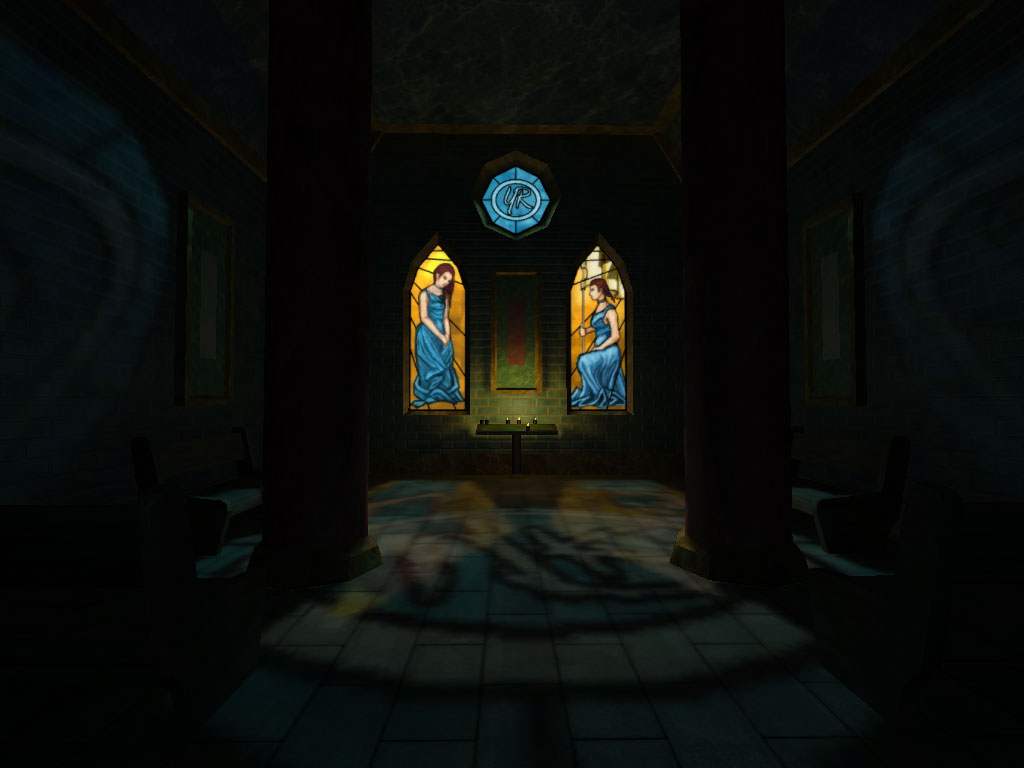

Admittedly this screenie is a bit dark on the ambient ...
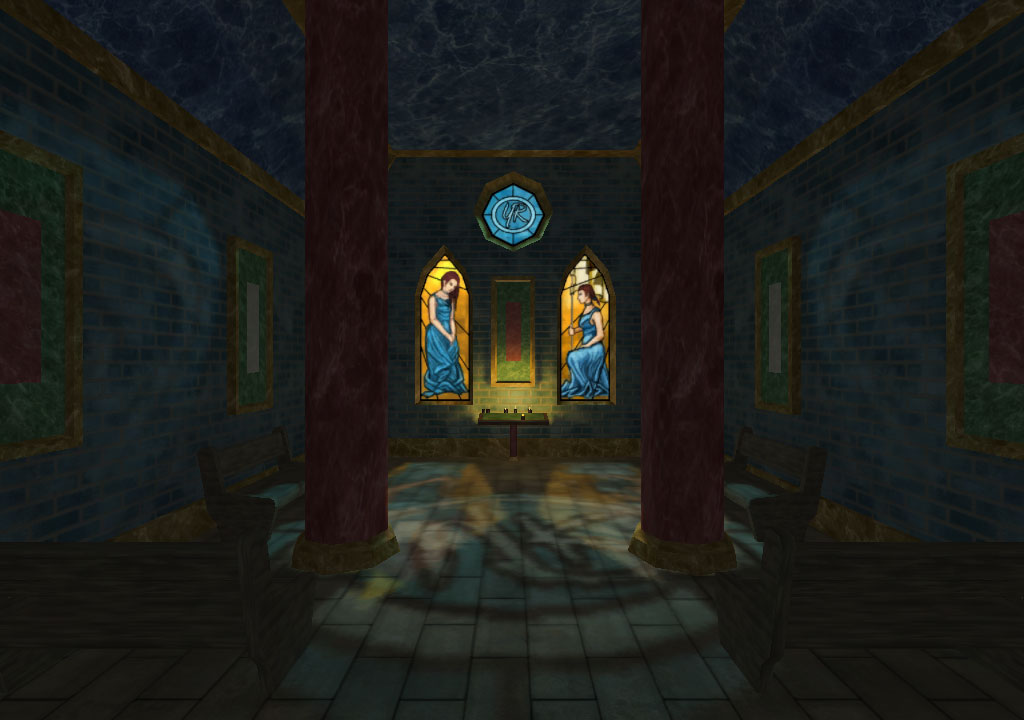

So here's another ...

Window on the left took me over nine thousand hours in MS Paint ... and the one on the right took my about 9 seconds after I remembered how to draw ... out of practise ...

Repawn/quit dialogue is still just a stock GUI, so I'll need to replace that with something completely custom, but all in all, I thought it was quite a nice touch.

Monday, 26 July 2010

GUI Feedback Tweaks

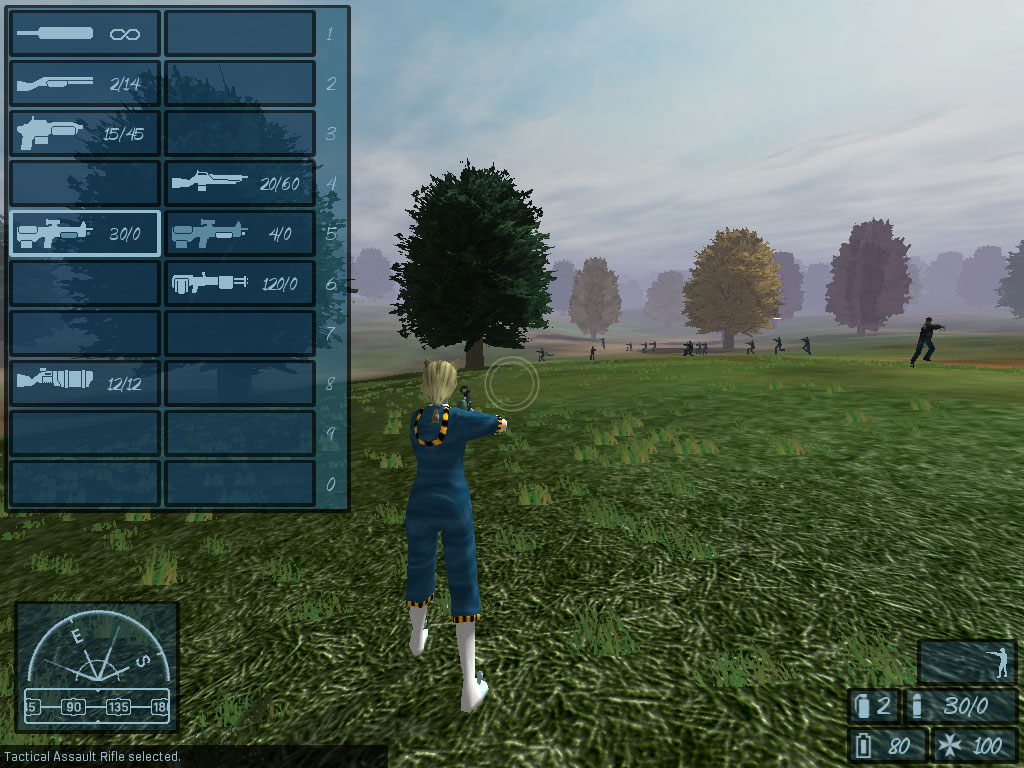
Made a few tweaks after feedback, adding an icon for the ammunition and grenades and a selected weapon indicator in the inventory.


And had a little "field test" for in-game use with a shortrange battle test with team- based Ai.


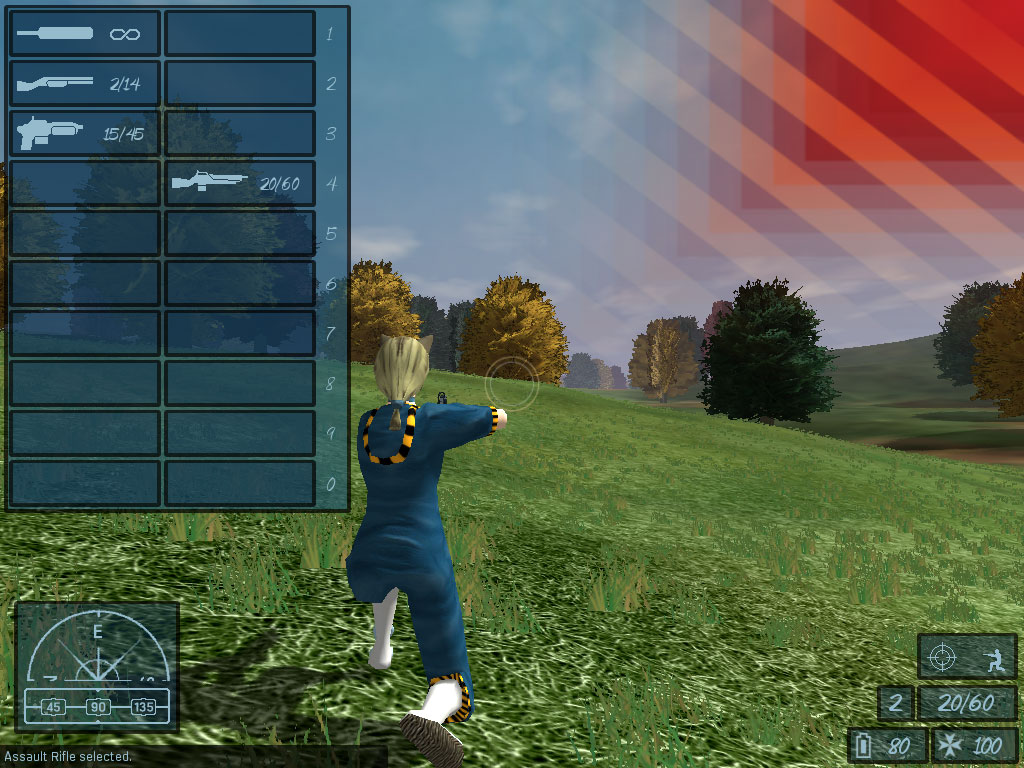
And tweaked the damageHud so the danger warning now flashes/pulses. In the future I think I'll put in an audio alert of some kind when the player gets injured, as well as an audio for healing at an aid station.

Friday, 23 July 2010

Gooey ... Very Gooey ...

BBBBBBBBBBZZZZZZZZZZZZzzzzzzzzzzzzZZZZZZZZZZZZzzzzz
when the hell does this buzzing in my ears go away!?


Gooey gooey gooooooey .... I'm not saying Gooey - it's just too "world of double entandres". So, been working on GUIs for general gameplay. Can't say that I really knew much about GUIs previously, so I taught myself with a bit of the old "trial and enormous ballsup". Made a list of various things I'd need on screen at any one time. It's mostly the "usual suspects", health, energy, stance, inventory, info HUD ... that kinda stuff.


From the top left - toggleable inventory, displays all 20 available weapon slots, using a HL2 style weapon selection system, and their relevant loaded ammunition/extra ammuntion. Displays a blank space if you haven't picked up the weapon. Hold down the key to display, release to hide ... cos it takes up a sizeable amount of screen space.

Below left - Compass and Bearing. Originally from a community resource on the Torque site, I have since designed my own because I only needed the basic functionality.

Left Bottom - chat HUD, single line of info telling the player what they've picked up or selected.

Right Side Top - Directional Hit Detection Warning, get hurt, and this warning texture pops up to show which area you got hit in, fades out after a moment.

Lower Right Group - from the top - Aiming (doubles as walk) icon, and stance icon (stand/crouch/prone). Below that is grenades and ammuntion weapon/in backpack. And the lowest line is energy and health. Energy works but isn't actually hooked up to do anything yet ...


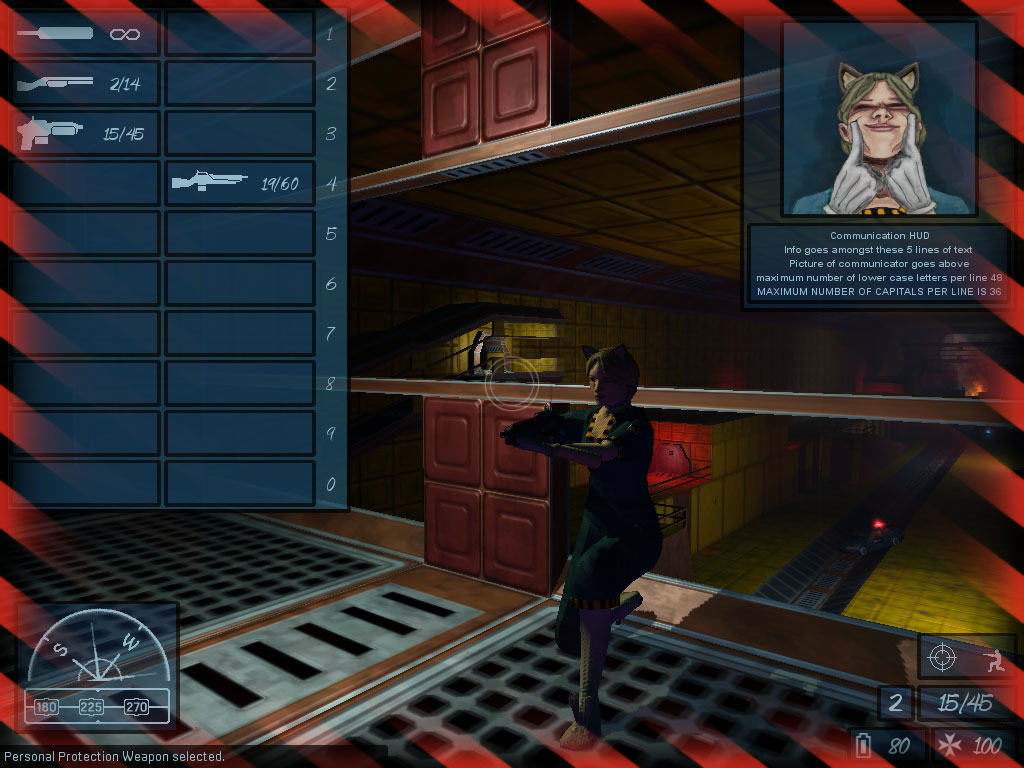
Warning texture border is used to alert the player that they are in danger. Comes in two stages, amber/black when player health has dropped to the point when a single shot from the most powerful weapon would be fatal, and then red/black when a single shot from most weapons would prove fatal.

In the upper right hand corner is the Communication HUD, loosely based on the idea from Freespace where you'd get a little animated pic of who was talking to you over the radio. Thus the Comms HUD displays a static picture of the messenger and 5 lines of text to hold whatever the player needs to be told dynamically.


And finally maps which toggle on when you hold down the "show map" button. I'd had a bit of an um-and-ah about maps and radar and the sort, and eventually decided against what most games have - the dynamically updating radar showing the player's position. Instead I've decided to go down the map reading route - the player would have to orientate themselves using visual clues such as heightmap and buildings and then move from one point to another using the compass and heading as "dead reckoning", akin to realistic map reading.

Currently the map on the left is only a heightmap for testing, but would include buildings and roads/tracks like a real map as well as possibly target/goal information. The map on the right is what displays when no map is available.

That about wraps the gameplay HUD up, apart from maybe linking energy to something like a sprint/breath underwater/shielding/energy weapon/etc ... have to have a bit more of a think on that one.

Next up, that demo I might have mentioned aeons ago ... and I've also got an idea about using dynamic, random placement of enemies as a way of increasing replayability for it. And eventually get back to looking at the save/load game system I mentioned many moons ago ...